
Skip to main content
How Can We Help?
How to view report for PM staff performance?
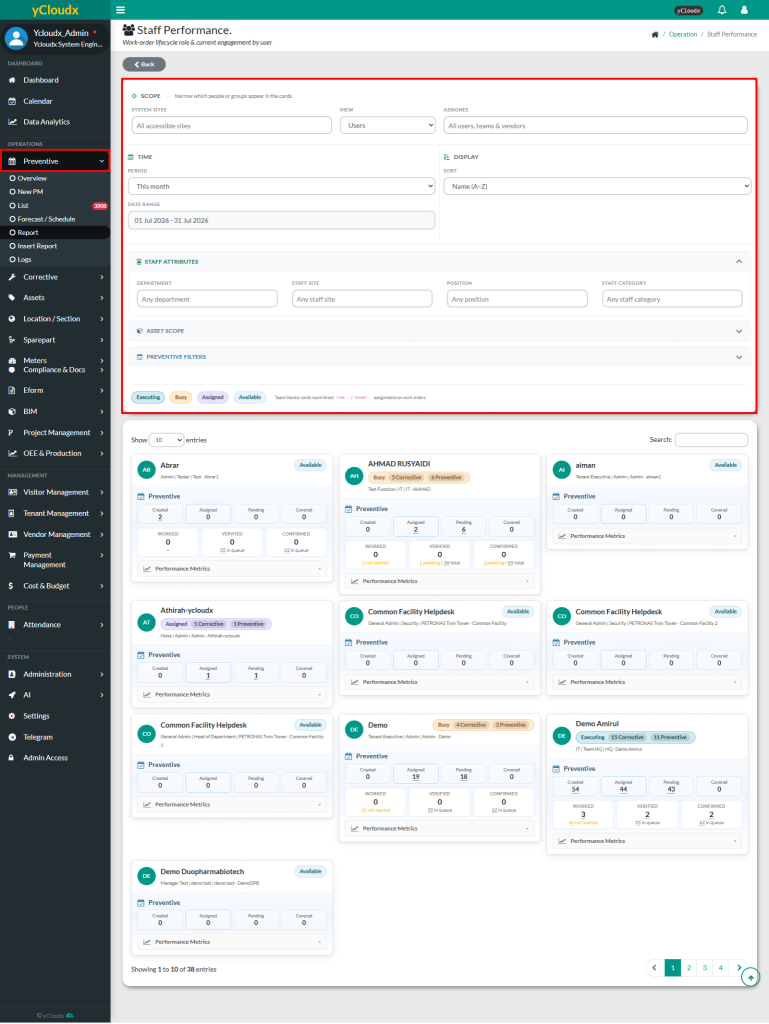
- Proceed to Preventive > Report
- Click Staff Performance button
- User able to select the System Site, View (Users, Teams, Vendors, All), Assignee, Period and Date Range to filter the data
- User can also filter the staff attributes by selecting the Department, Staff Site, Position and Staff Category for the data to be displayed
- Then, it will automatically display the selected data based on the chosen filters
