
Skip to main content
How Can We Help?
How to view report for PM plan vs actual?
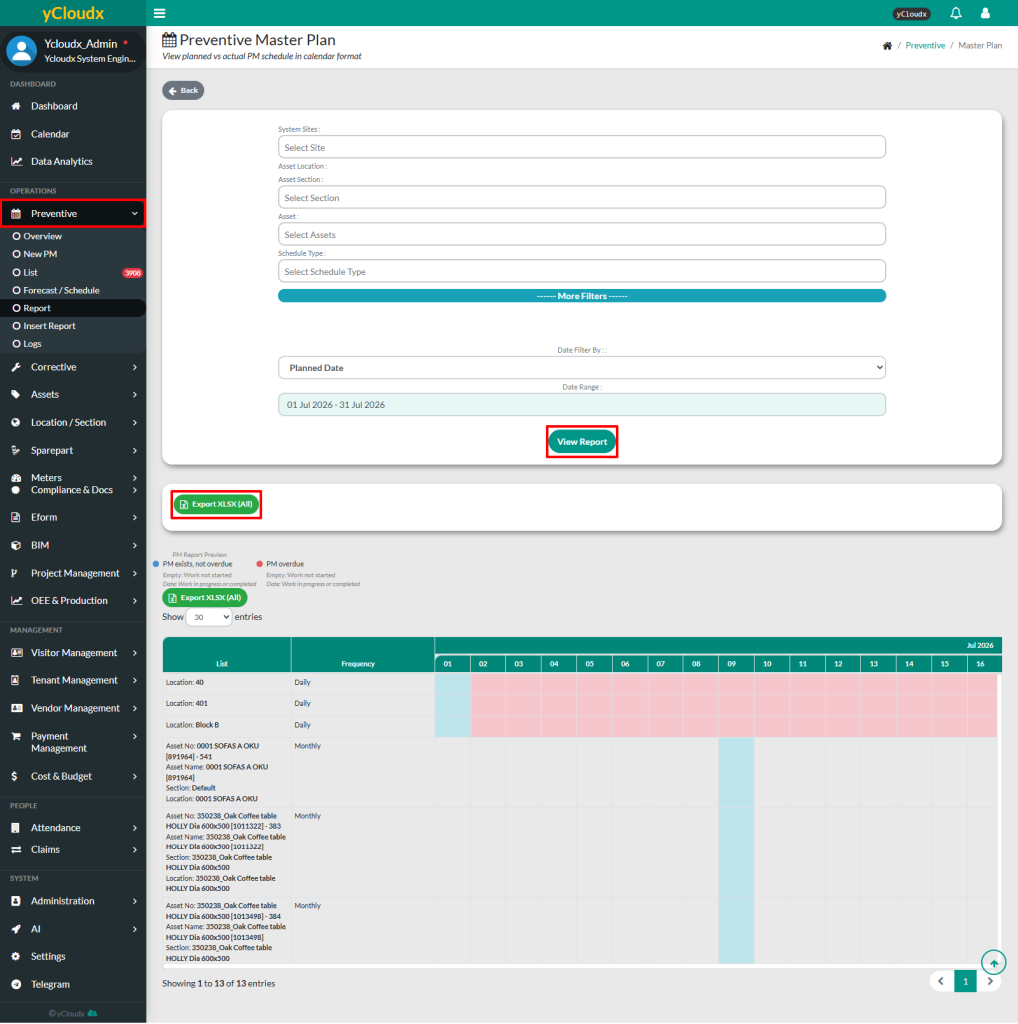
- Proceed to Preventive > Report
- Click Plan vs Actual button
- User able to select the System Site,Asset Location, Asset Section, Asset and Schedule Type to filter the report data
- User can choose the date filter by and work order date range for the data to be displayed
- Then, click View Report button to display the selected data based on the chosen filters
- After clicking View Report, user able to view the report in a list format categorized by list, frequency and the details for each day per each month
- User can export data to Excel by selecting Export XLSX (All) button
