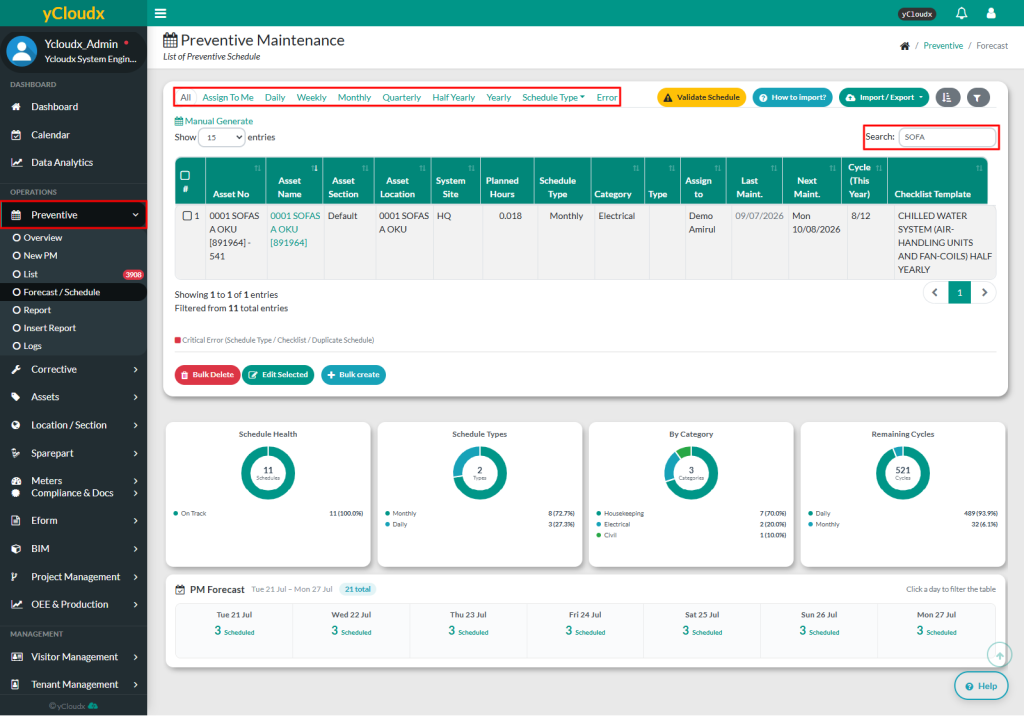
User able to select All, Assign to Me, Maintenance Type or Custom Schedule
All : View all schedules
Assign to Me : View only work orders assigned to user
Maintenance Type : Filter by Daily, Weekly, Monthly, Quarterly, Half Yearly and Yearly
Custom Schedule
User able to search preventive schedule information using multiple parameters in search field
Users are able to view details such as Asset No , Asset Name, Asset Section, Asset Location, System Site, Planned Hours, Schedule Type, Category, Asset Type, Assign To, Last Maint, Next Maint and Cycle (This Year)