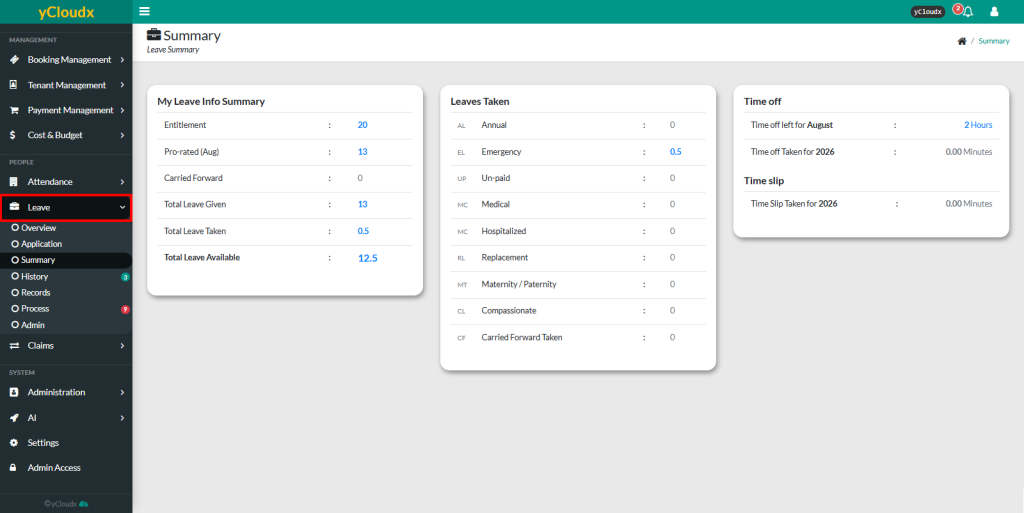
The system system displays the employee’s Leave Summary information
Review the My Leave Info Summary section to view the employee’s leave entitlement
Review the Leaves Taken section to view the number of leave applications submitted for each leave type, such as Annual Leave, Emergency Leave, Unpaid Leave, Medical Leave, Hospitalized Leave, Replacement Leave, Maternity/Paternity Leave, Compassionate Leave and Carried Forward Leave
Review the Time Off section to view the remaining time off balance for the current month and the total time off taken for the current year
Review the Time Slip section to view the total time slip hours used for the current year
Use the displayed leave summary information to monitor leave balances and leave utilization before submitting a new leave application