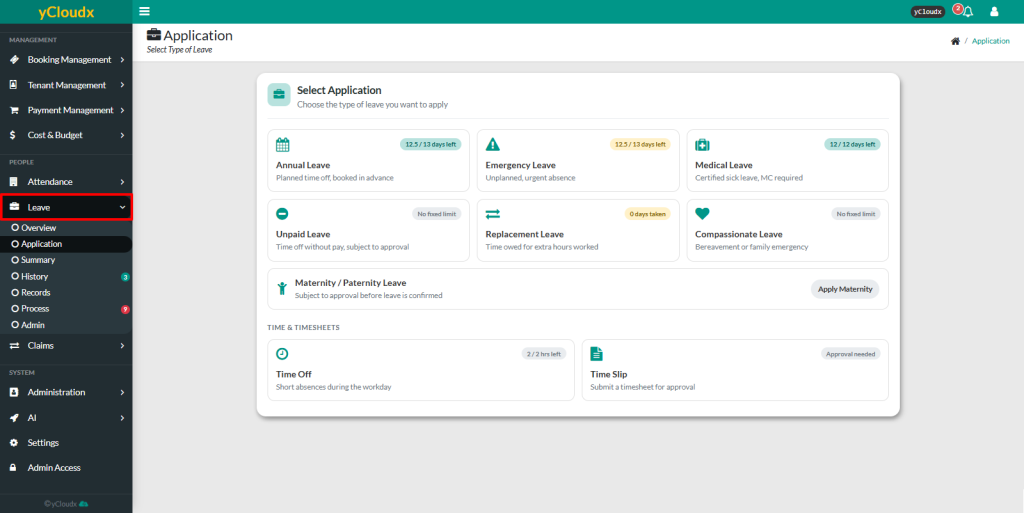
Select the desired Leave Type (e.g., Annual Leave, Emergency Leave, Medical Leave, Unpaid Leave, Replacement Leave, Compassionate Leave, Maternity/Paternity Leave, Time Off, or Time Slip).
Enter the From Date, To Date, Resume Date and Duration for the leave application
Enter the Reason for each leave application
Review the displayed Leave Balance to ensure sufficient leave entitlement is available
Click Next to proceed with the application
Review the application details on the confirmation
Click Submit to send the leave application for approval
You can view your status of leave application at the Leave > History