
Skip to main content

How Can We Help?
How to view leave status and history?
- Proceed to Leave > History
- The system displays a list of all leave applications submitted by the employee
- Review the leave records and see the status of your leave application whether it was Pending, Rejected and Approved
- Use the Search field to locate a specific leave record, if required
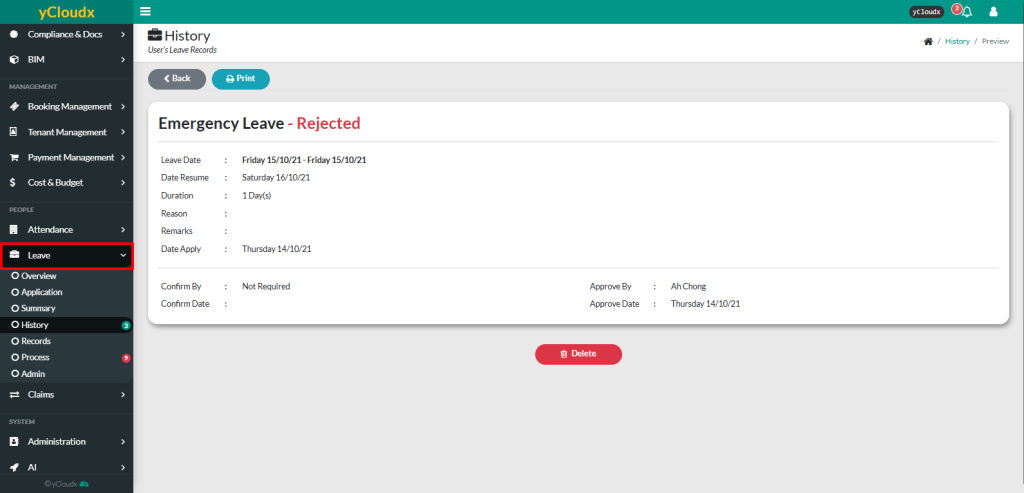
- Select a leave record by clicking the date that have been applied to view its detailed information
- Review the leave application details
- Click Print to generate a printable copy of the selected leave application, if required
