
Skip to main content
How Can We Help?
How to approve a leave application?
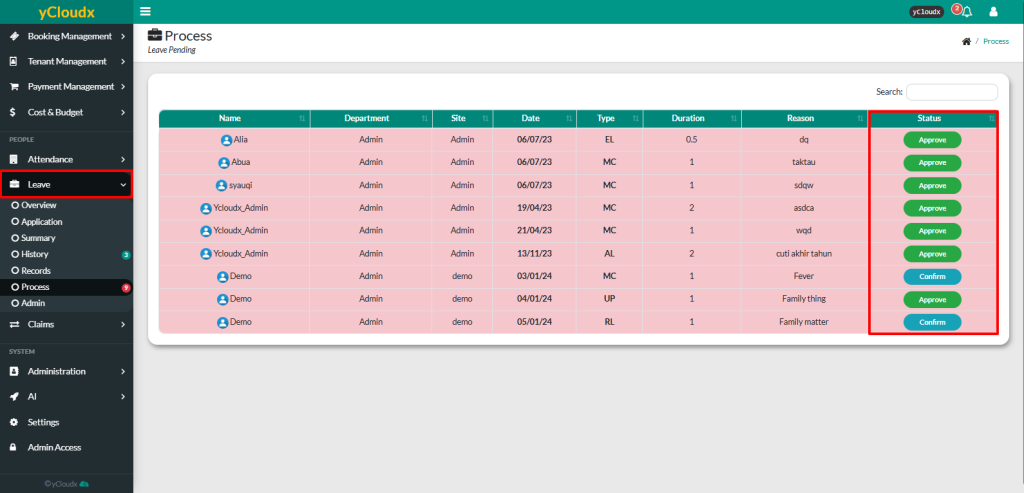
- Proceed to Leave > Process
- Review the list of pending leave applications
- Locate the employee’s leave application by checking the Name, Department, Site, Date, Leave Type, Duration and Reason
- Verify that the leave request complies with the organization’s leave policy and that the employee has sufficient leave entitlement
- Click the Approve button in the Status column for the selected leave application
- Review the leave application details
- Click Approve to approve the leave request. The application status will change to Confirm
- Return to the Leave > Process page and locate the same leave application
- Click the Confirm button in the Status column
- Review the leave application details and click Confirm to finalize the leave application
- Once the confirmation is completed, the leave application will be Approved, and the employee’s leave balance will be updated automatically
