
Skip to main content
How Can We Help?
How to configure leave confirmer and approver?
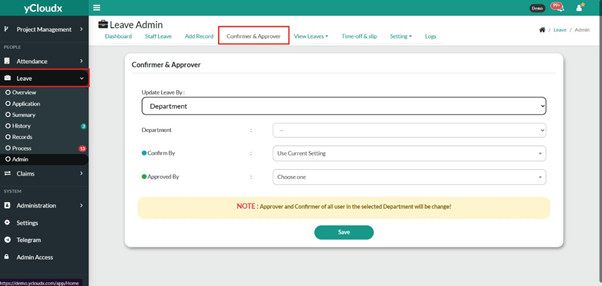
- Proceed to Leave > Admin > Confirmer & Approver
- Select the preferred update method from the Update Leave By dropdown list (e.g., Department).
- Select the target Department
- Select the appropriate user in the Confirm By field, or choose Use Current Setting to retain the existing confirmer
- Select the appropriate user in the Approved By field
- Review the selected confirmer and approver
- Click Save to apply the changes
