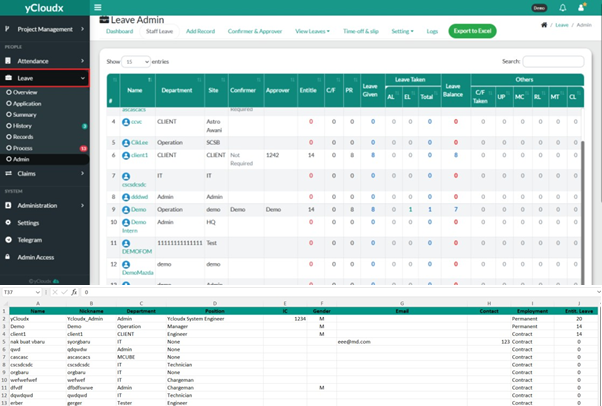
Review the leave information displayed for each employee, including Name, Department, Site, Confirmer, Approver, Leave Entitlement, Leave Taken and Leave Balance
Use the Search box to locate a specific employee, if required
Adjust the number of displayed records using the Show Entries option, if necessary
Click the Export to Excel button to download the staff leave records
Wait for the system to generate the report. The leave details will be downloaded in Excel (.xlsx) format