
Skip to main content
How Can We Help?
How to change the language?
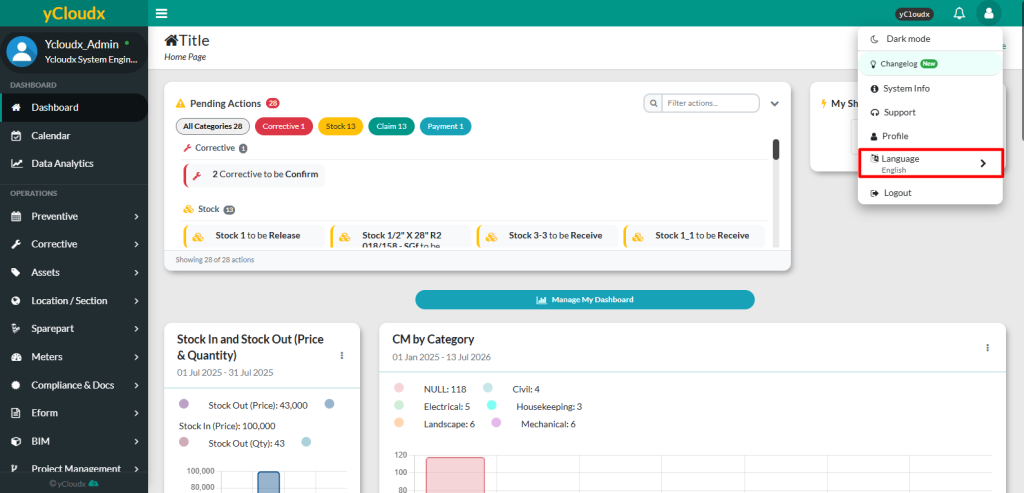
- Click the User icon at the top right of the page
- Select Language
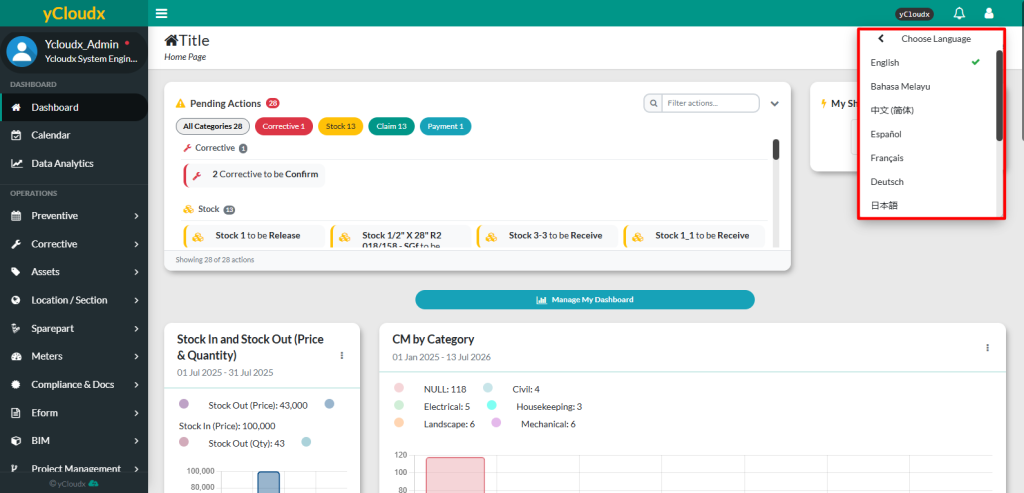
- User can select the preferred language from the available language options:
- English
- Bahasa Melayu
- 中文 (简体)
- Español
- Français
- Deutsch
- 日本語
- Once selected, the system will automatically display all menus, labels and interface content in the chosen language
