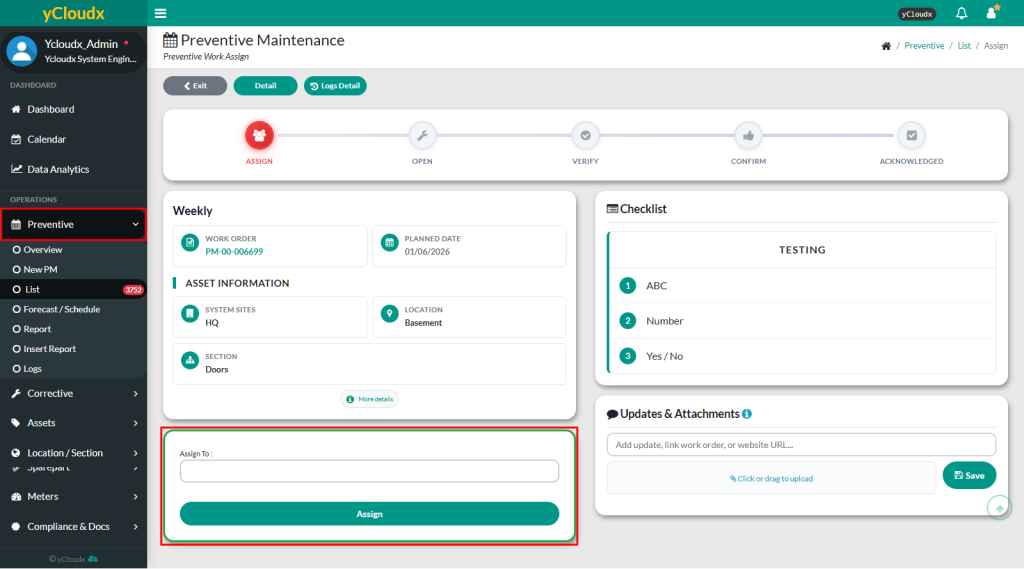
Proceed to Preventive > List > Assign > Click Assign button
Examine the description, work information and checklist for the work order
User can select either a team or specific user from the Assign To list to receive a notification for the work
Click Assign to confirm
A popup notification will appear to confirm that the PM work order has been successfully assigned
Notes:
Leave the field empty if prefer not to assign the work, as any technician able to do the work
Assign To is only for notifying a specific person about a new pending work order. Other workers can still execute the work not only specified to the assigned person.
Engineer, heads of department or other higher management should assign the work to the technicians or workers