
Skip to main content
How Can We Help?
How to add, update or delete linked spare part for each compliance & docs?
To add new linked spare part
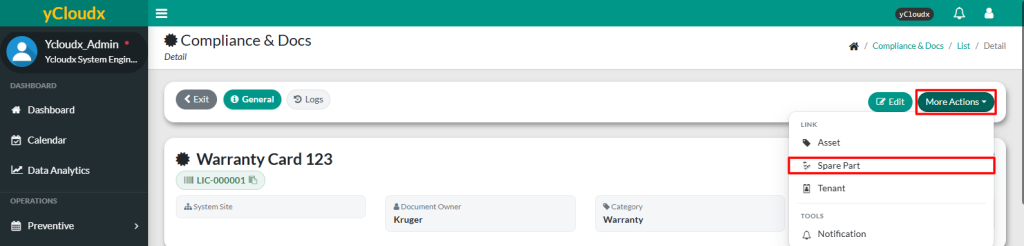
- Proceed to Compliance & Docs > Compliance List > Select Running No > More Options
- Click Spare Part button
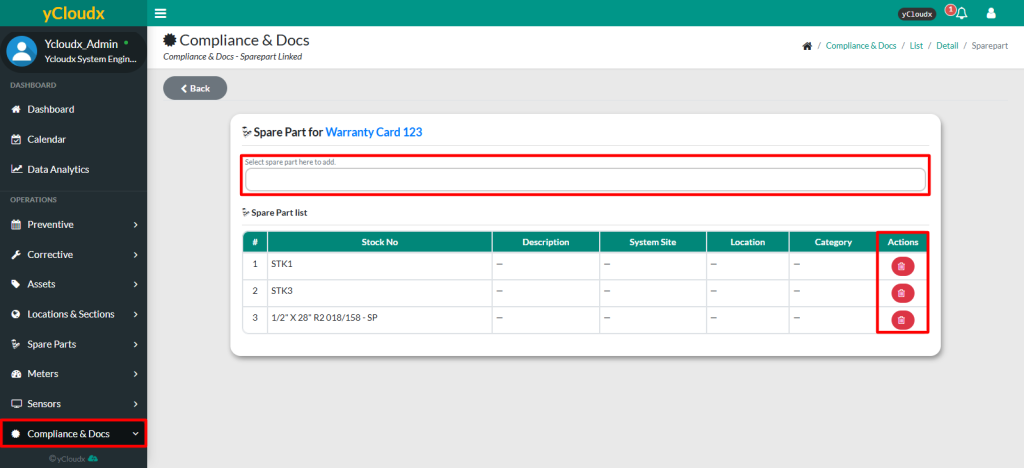
- User need to select the spare part from the dropdown menu
- Once select, spare part will automatically be added to the list
To view or delete linked spare part
- Proceed to Compliance & Docs > Compliance List > Select Running No > More Options
- Click Spare Part button
- User able to view the list of linked spare part
- User can click the red trash bin icon to unlink spare part from the compliance document, removing it from the list
