
Skip to main content
How Can We Help?
How to Add a New Shift?
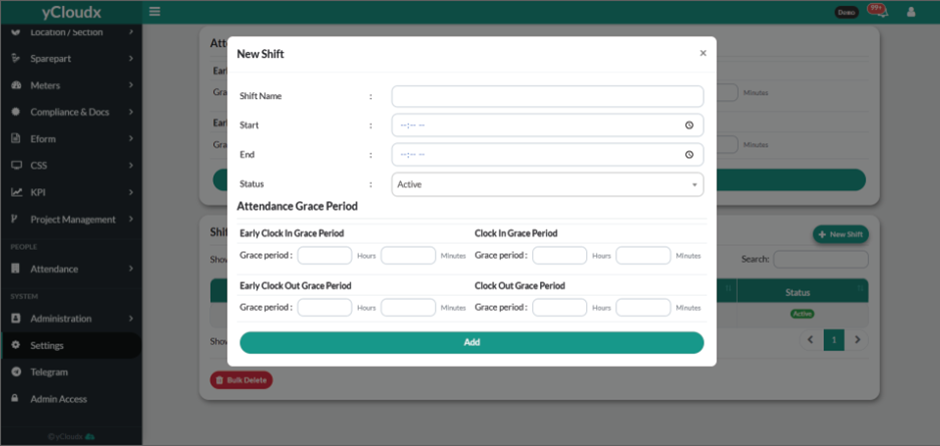
- Proceed to Setting > Attendance
- Click the New Shift button.
- Enter the Shift Name.
- Select the Start time for the shift.
- Select the End time for the shift.
- Select the Status (e.g., Active or Inactive).
- Configure the Attendance Grace Period for the shift:
- Click add button to save the shift that have been set.
