
Skip to main content
How Can We Help?
How to Add a New Roster?
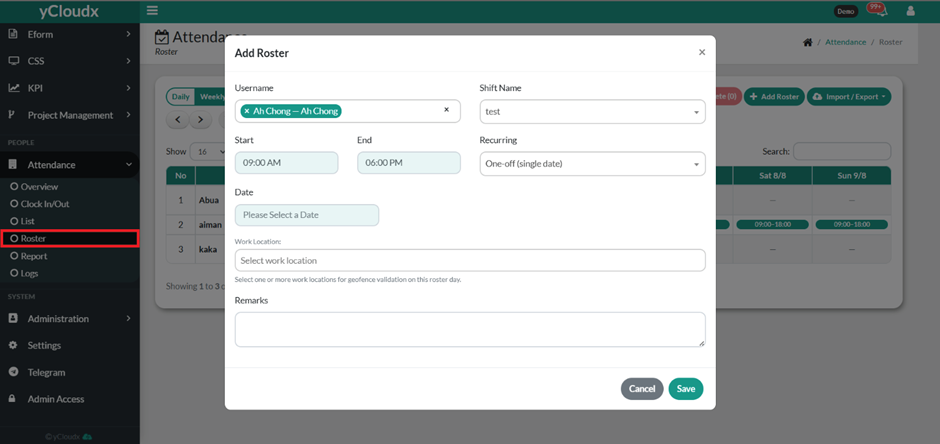
- Proceed to Attendance > Roster.
- Click the Add Roster button.
- Select one or more Username(s).
- Select the appropriate Shift Name.
- Specify the Start and End working time.
- Select the Recurring option (e.g., One-off or recurring schedule).
- Select the Date for the roster.
- Select the appropriate Work Location.
- Enter any Remarks if required.
- Click Save to assign the roster or Cancel to exit without saving.
