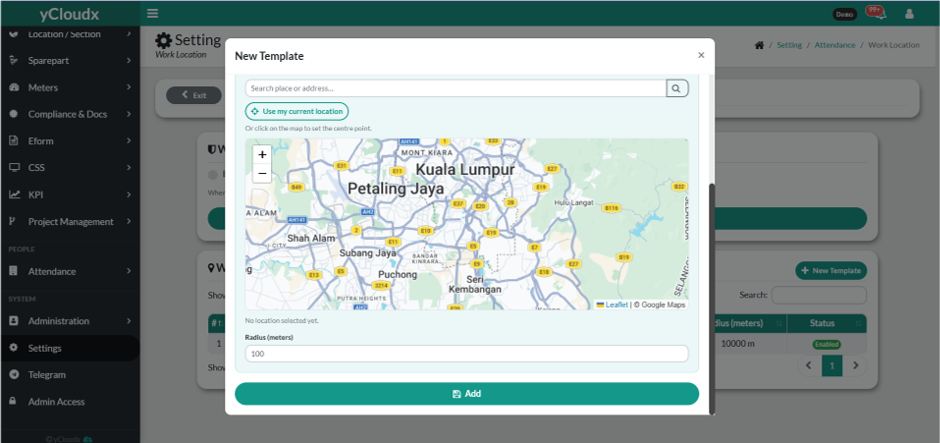
Search for the work location by entering the address in the Search place or address field, or click Use my current location to automatically detect the current location.
Alternatively, click on the map to set the centre point of the work location.
Enter the desired Radius (meters) to define the allowable clock in area around the selected location.
Review the selected location and radius.
Click Add to create the new work location template.
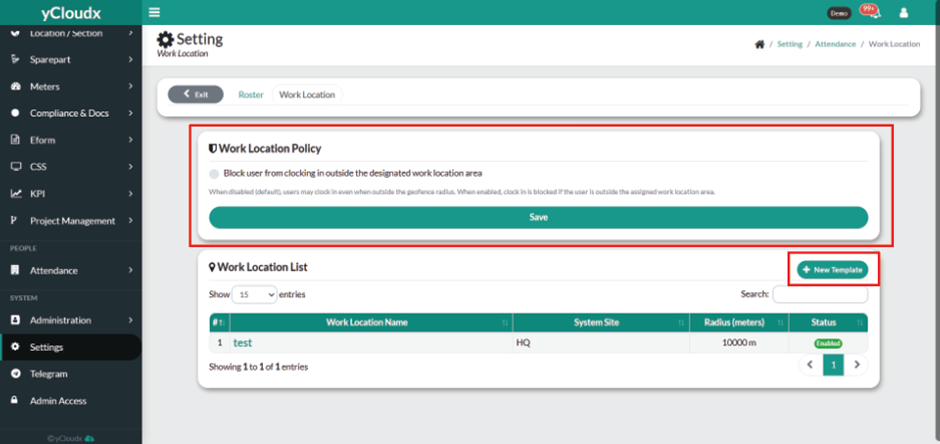
You also can block user from clocking in outside of the radius that have been set by tick the work location policy.
You can disabled the location if you don’t want to use it anymore