
Skip to main content
How Can We Help?
How to View Stock Out by Date?
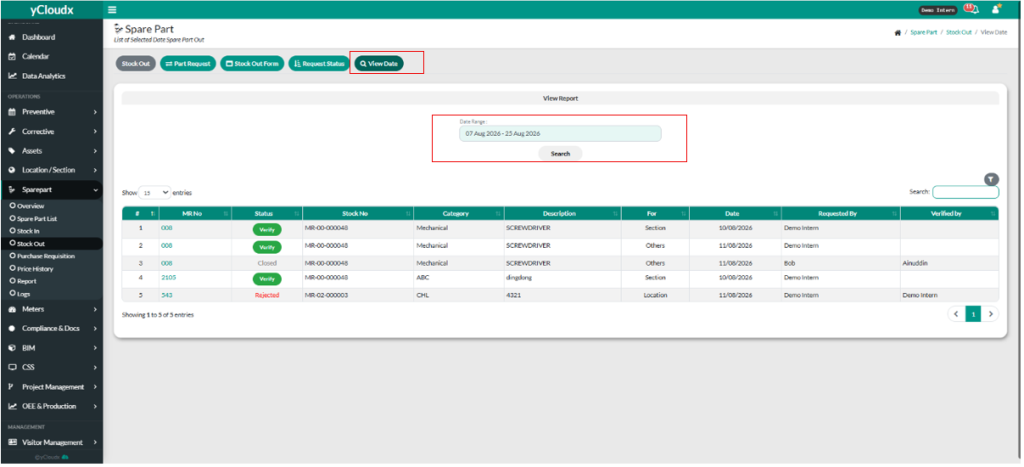
- Proceed Spare Part > Stock Out
- User need to click “View Data”.
- User can select the range of the date.
- User click “Search” button.
- User can search in the textbox what user want search.
