
Skip to main content
How Can We Help?
How to do Purchase Requisition?
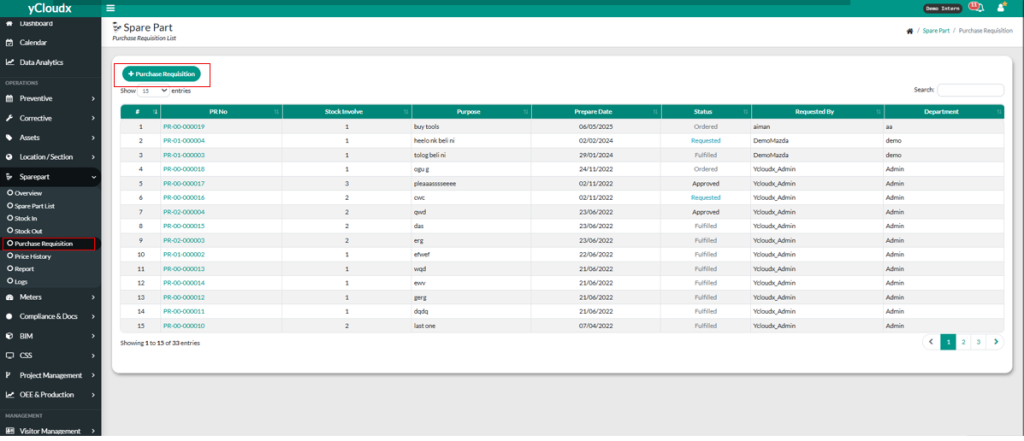
- Proceed Sparepart > Purchase Requisition.
- Click “+Purchase Requisition” button to add purchase requisitions.
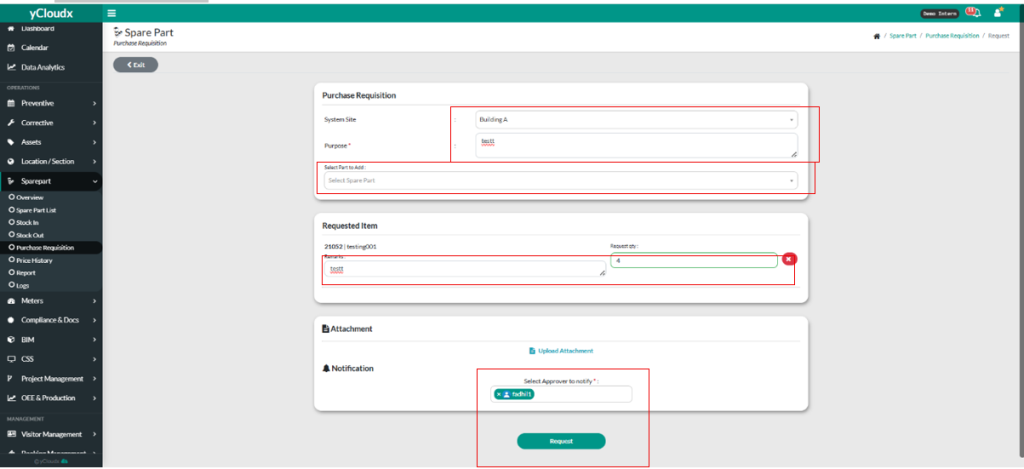
- User need to choose System Site.
- User need to fill in purpose of the purchase requisition.
- User need to select part to add.
- User need to fill in the Request Quantity ( Request Qty ).
- User can fill in the remarks if the user wants to.
- User can upload attachment by clicking “ Upload Attachment”.
- User need to select the approver to notify.
- User must to click “Request” button for confirmation of the purchase requisition.
