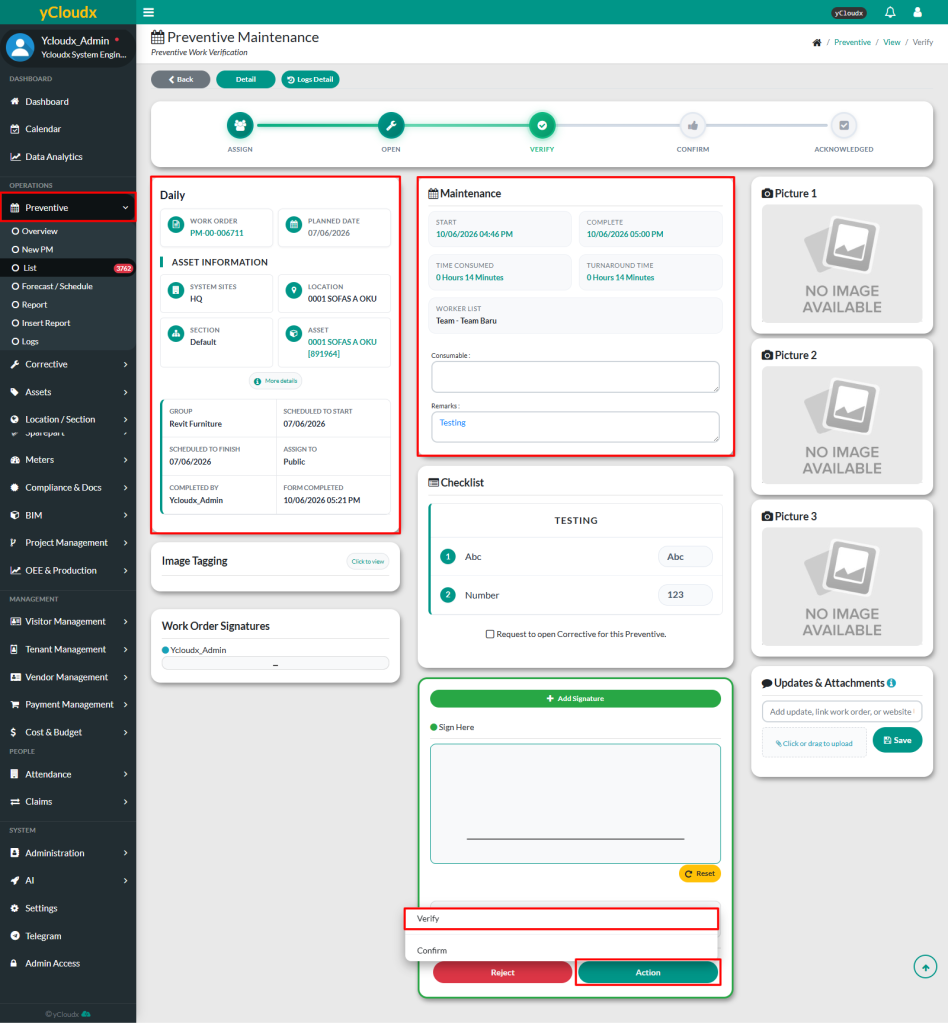
Proceed to Preventive> List > Verify > Click Verify button
Check all the details filled in the work order
Edit any editable content if corrections are needed
Verifier able to insert their signature to verify the work that have been done
Submit the verification by clicking the Action > Verify Work Order button
Verifier can add a star rating, feedback and the client’s email for each work order
Click Yes, Verified it! to submit the verification
If the user clicks Reject, the work order status will revert to Action. The assigned workers will receive a notification and need to redo the work. A reason for rejection must be provided in the Remarks textbox