How to update or clear email template of notification for compliance & docs?
Created On
byaini
Print
You are here:
< Back
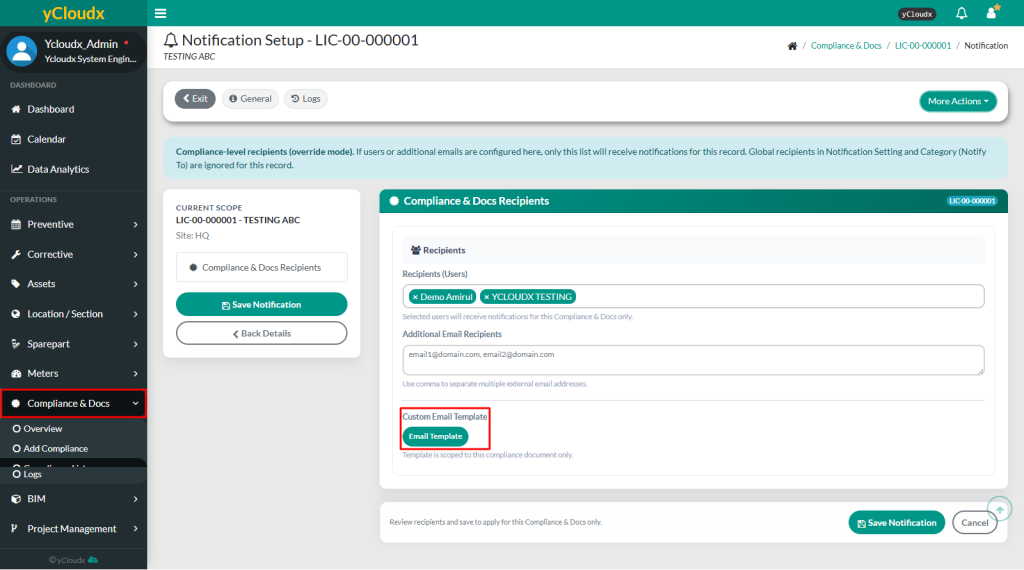
Proceed to Compliance & Docs > Compliance List > Select Running No > More Actions > Notification
Click the Email Template button. Fill in the Sender name, Subject/title, Title logo, Logo Image, Text Body for sending the custom email template notification.
Select the placeholder in the Text Body field to use any available variable and let the tick On for action link to be included in the email notification.
Click the Refresh preview button to view an example of the custom email notification and Save template to apply the changes.
Use the Clear fields button to apply the default email template.