
Skip to main content
How Can We Help?
How to update contact information?
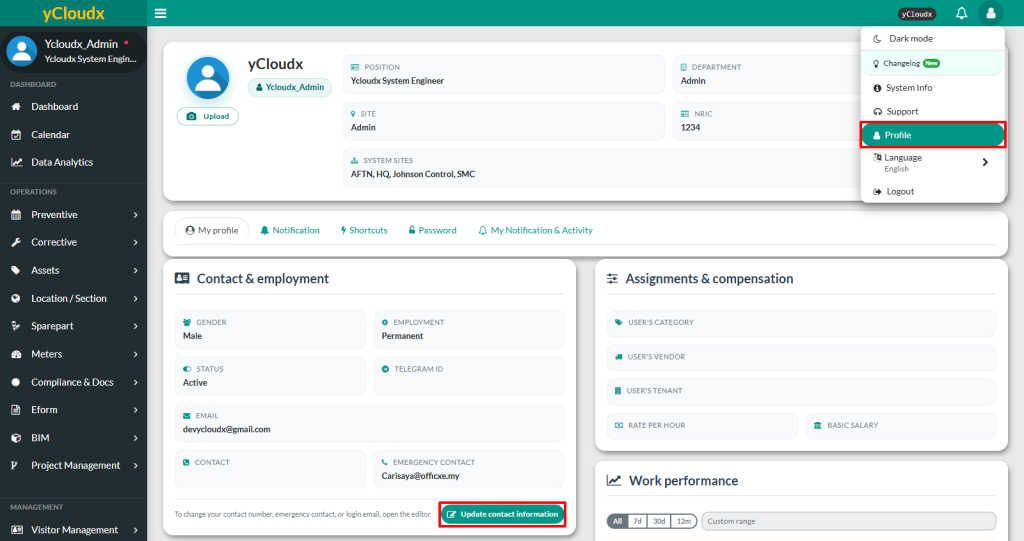
- Click Avatar or User icon at the top right of the page, then select Profile to be redirected to the user information page
- Click Update Contact Information
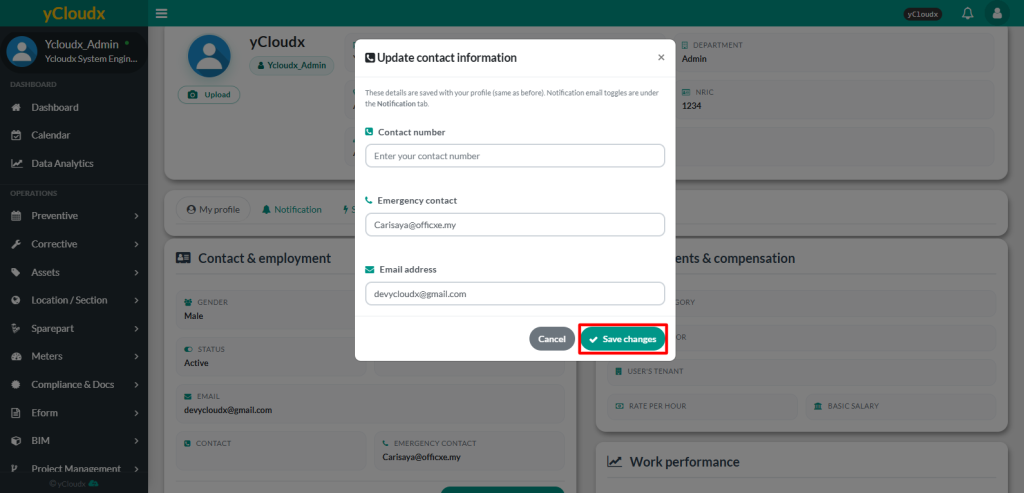
- Update Contact number, Emergency number and Email address if required
- Click Save Changes to apply the changes
