
Skip to main content
How Can We Help?
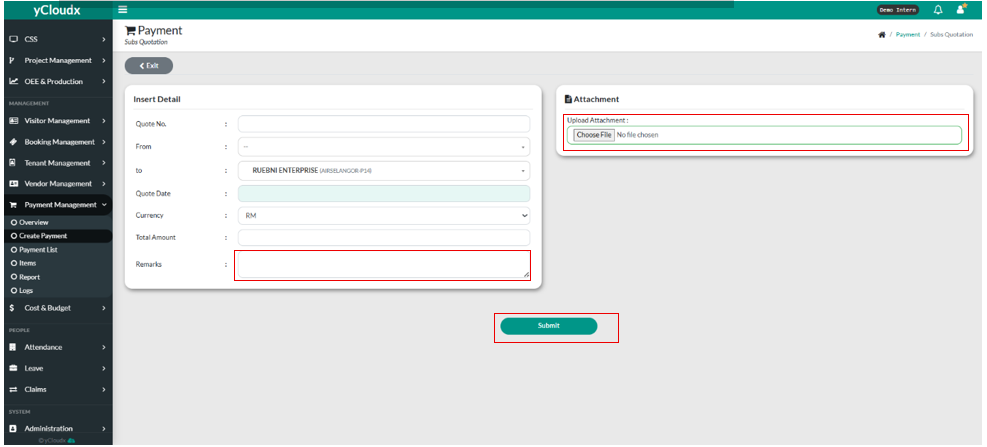
How to submit Sub Quote?
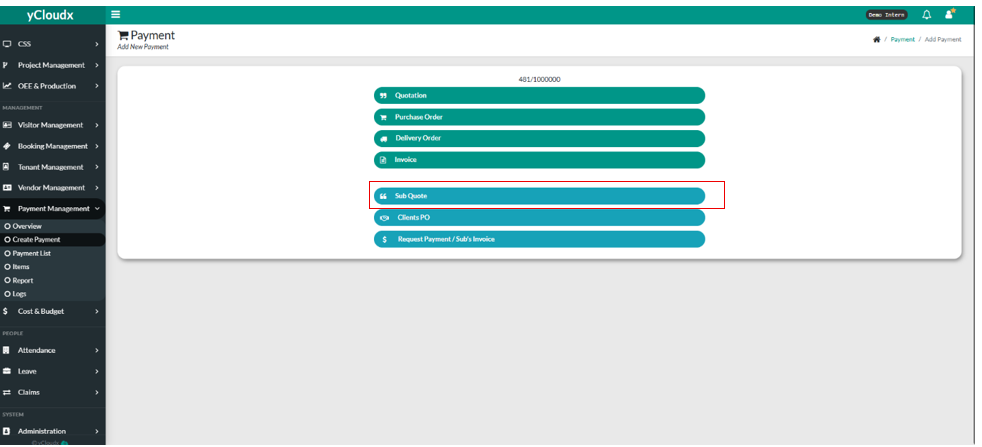
- Payment Management > Create Payment
- Click button “Sub Quote“
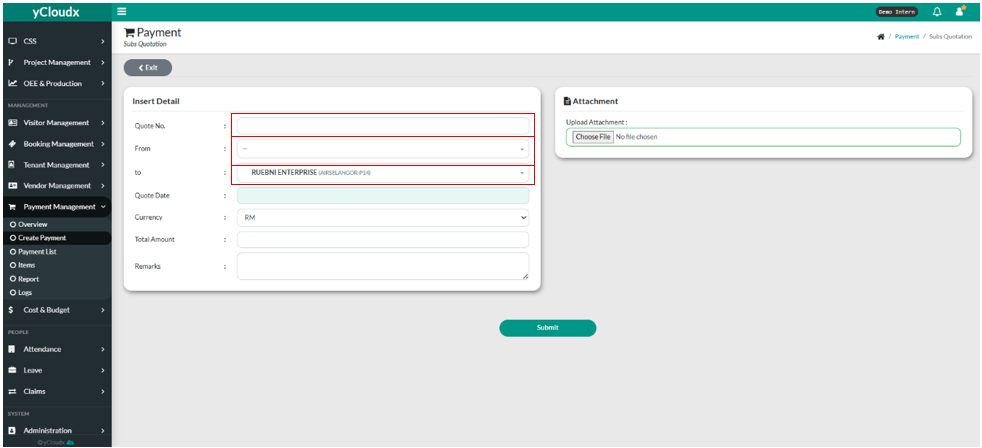
- User need to fill in Quote Number by fill it in the textbox.
- User need to choose from where the quote is in the drop down list.
- User need to choose to where the quote is in the drop down list.
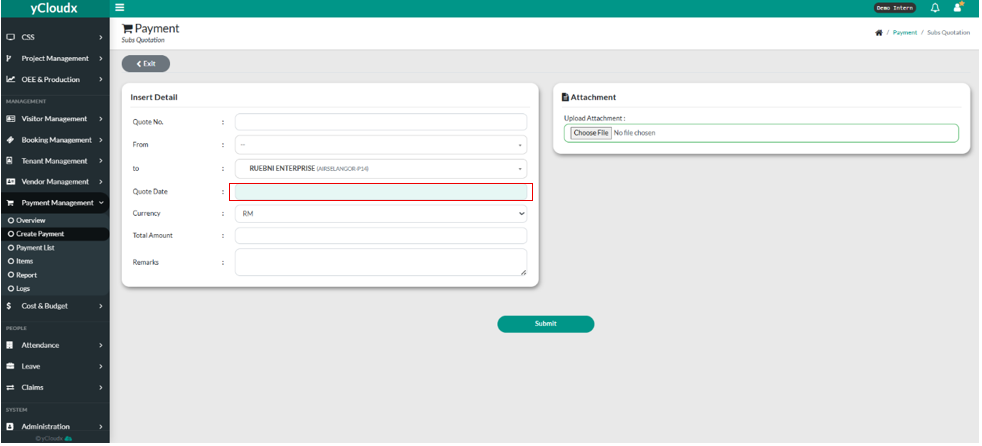
- User must put the quote date in the text box.
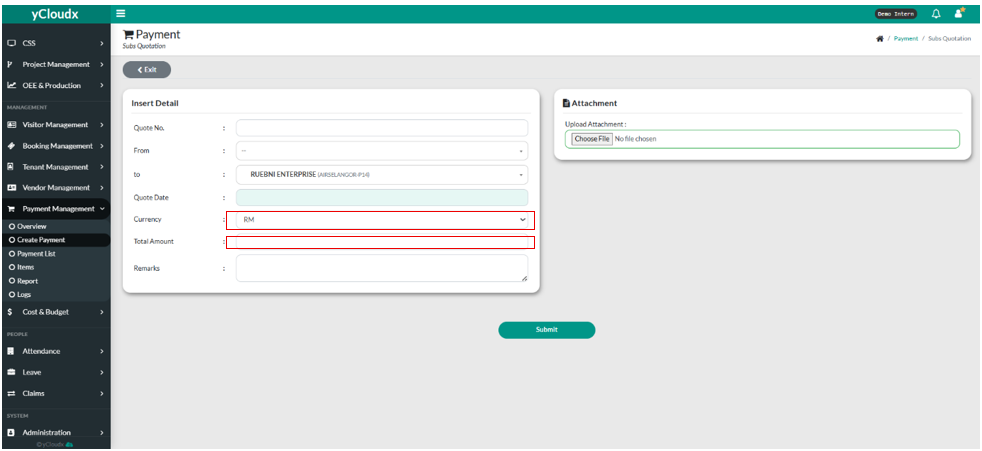
- User can choose either 4 currency they want to use ( MYR, Baht, Dollar, US Dollar).
- User need to fill in the amount in the “ Amount” text box
- User need to fill in the remarks by fill it in the “Remarks” text box.
- User can upload attachment by clicking “Choose File” button.
- User can submit the sub quote by clicking “Submit” button.
