
Skip to main content
How Can We Help?
How to edit the Cost & Budget?
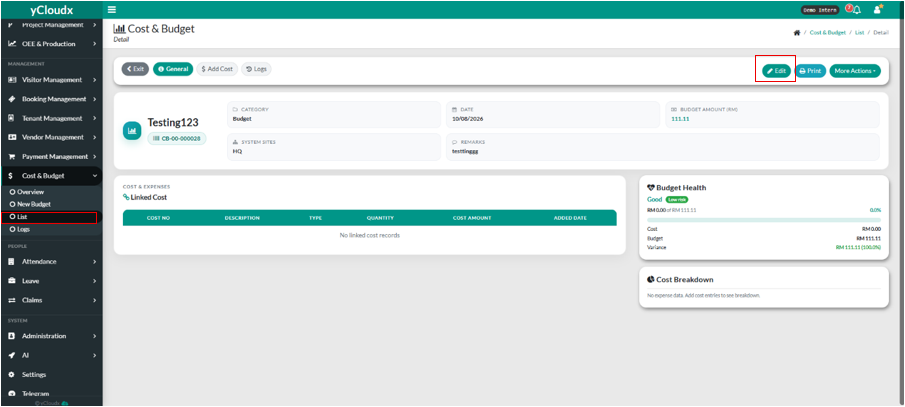
- Proceed Cost & Budget > List.
- User need to click the selected running no.
- User need to click the button “ Edit”.
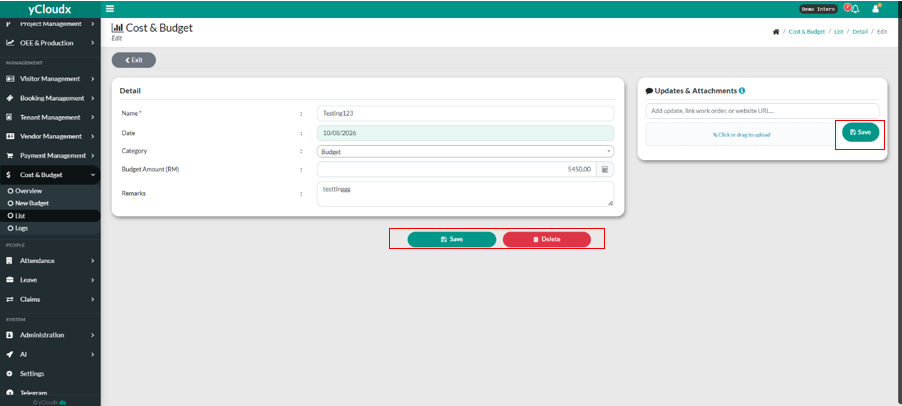
- User can edit the element the user wants to change.
- User have the selection between click “ Save “ to save the edit.
- User can click “ Delete “ to delete the data.
- User also can put any document or attachment by click “Click or drag to upload”.
- Then , click the “Save” button.
