
Skip to main content
How Can We Help?
How to Add Cost for Preventive?
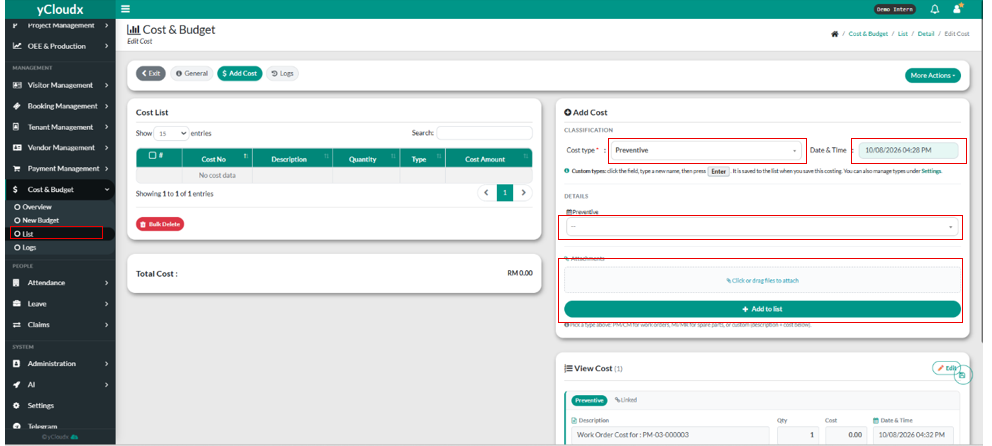
- Proceed Cost & Budget > List.
- User need to click the selected running no.
- User need to choose the cost type by choosing “Preventive”.
- User need to choose the preventive.
- User need to fill in the date & time by clicking the “Date & Time”.
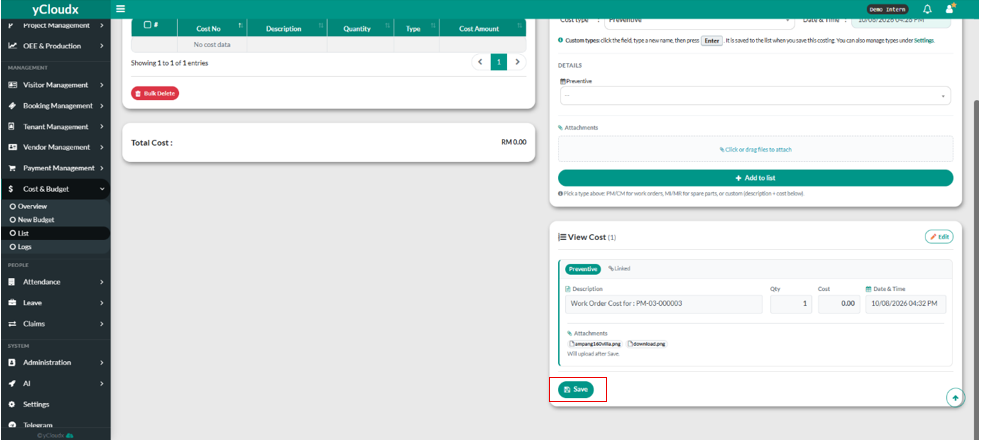
- User can put the attachments and click “+Add to list”.
- User need to click “ Save”
