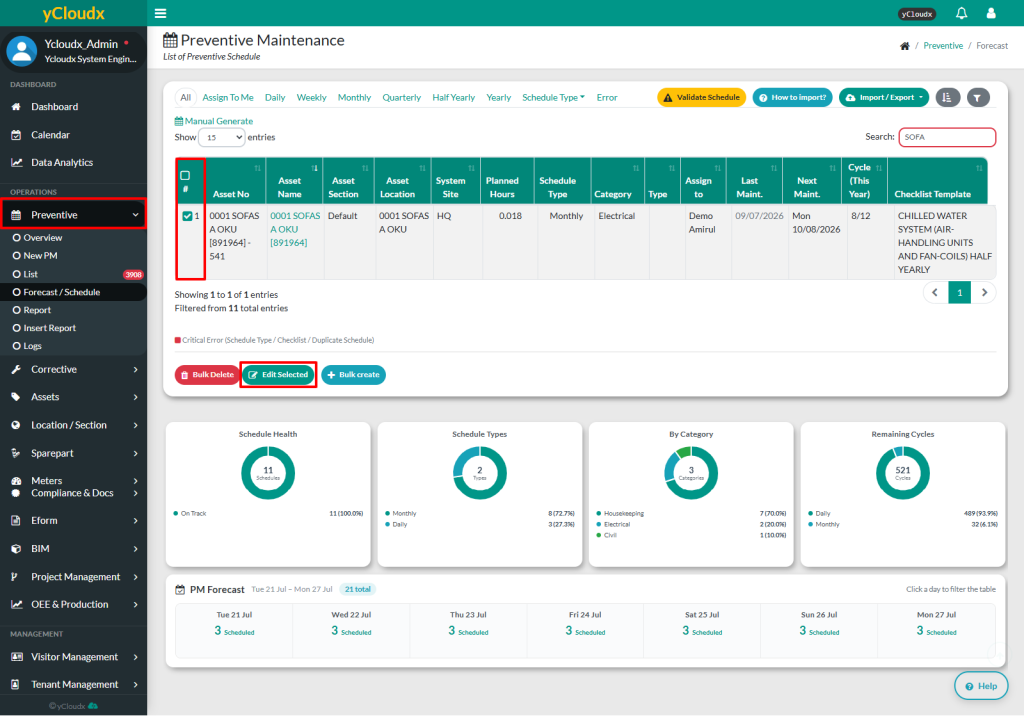
Tick the selected assets and click Edit Selected button
User able to edit schedule of the selected asset including Next Maintenance, Last Maintenance, Assign to, PM SLA, Category, Checklist Name, Planned Hours and Status
Save the changes by clicking the Save Changes button
Once updated, the PM will be generated automatically based on the updated information