
Skip to main content
How Can We Help?
How to add new shortcut directly from the dashboard?
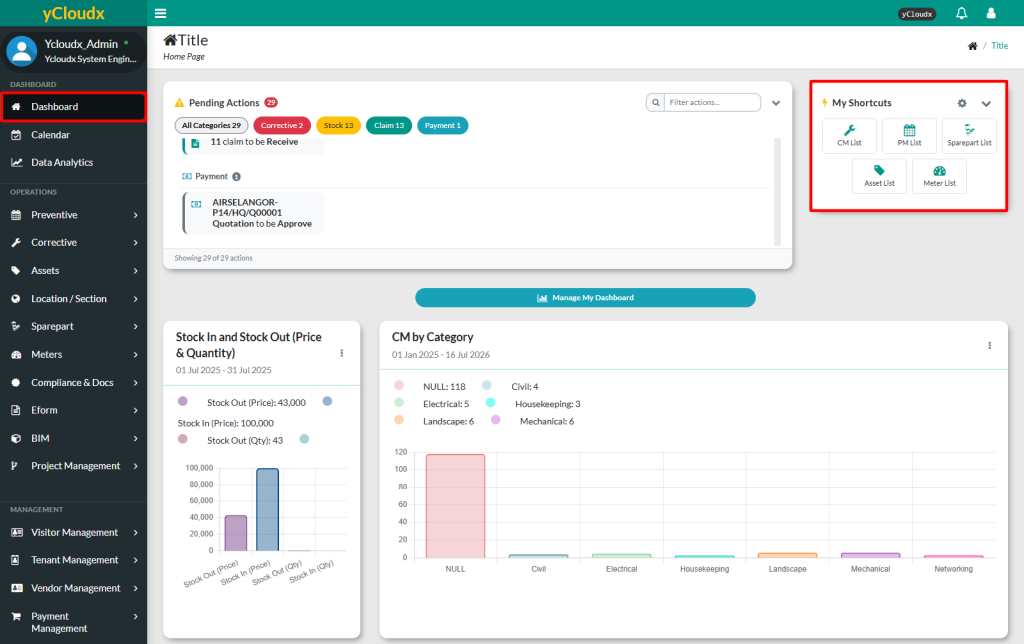
- Proceed to Dashboard
- Click the Settings icon (⚙️) at the top right of the Shortcuts section
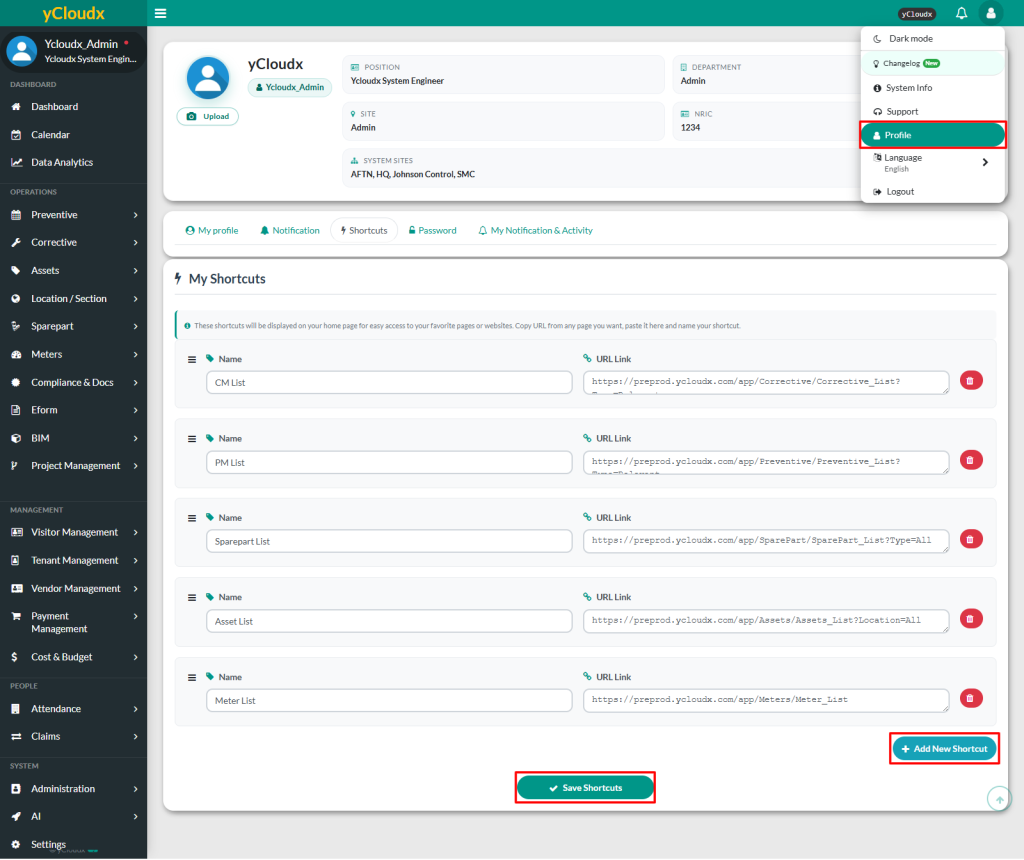
- User will be directed to the Shortcuts Settings page
- Click Add New Shortcuts to begin adding shortcut to the list
- Enter the shortcut name and paste the direct URL of the desired page
- Click Save Shortcuts, and it will appear in My Shortcuts section on the dashboard
