
Skip to main content
How Can We Help?
How to add a new claim category?
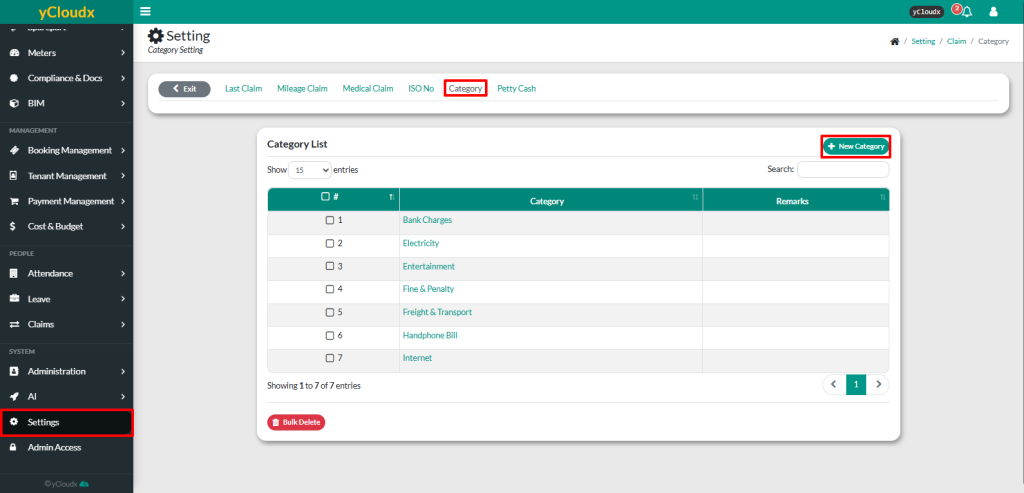
- Proceed to Settings > Claims > Category
- Review the existing claim categories in the Category List
- Click New Category
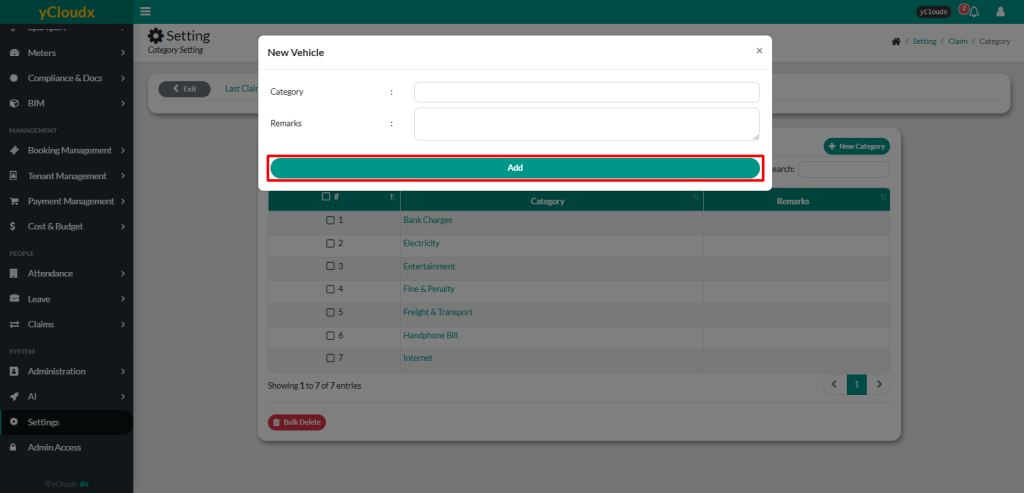
- Enter the Category name (e.g., Electricity, Internet, Entertainment)
- Enter Remarks if required (optional)
- Click Add to save the new claim category
- The new category will be added to the Category List and will be available for employees to select when submitting claim applications
