
Skip to main content
How Can We Help?
How to Make Part Request?
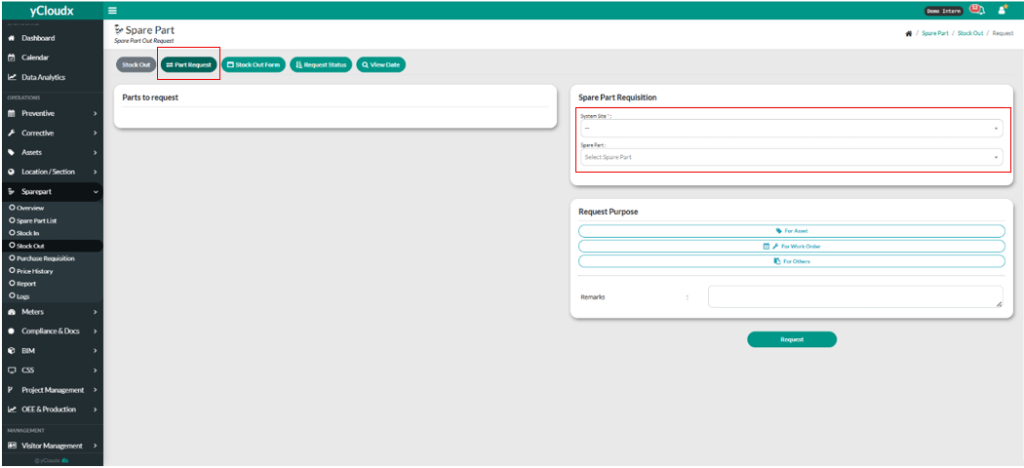
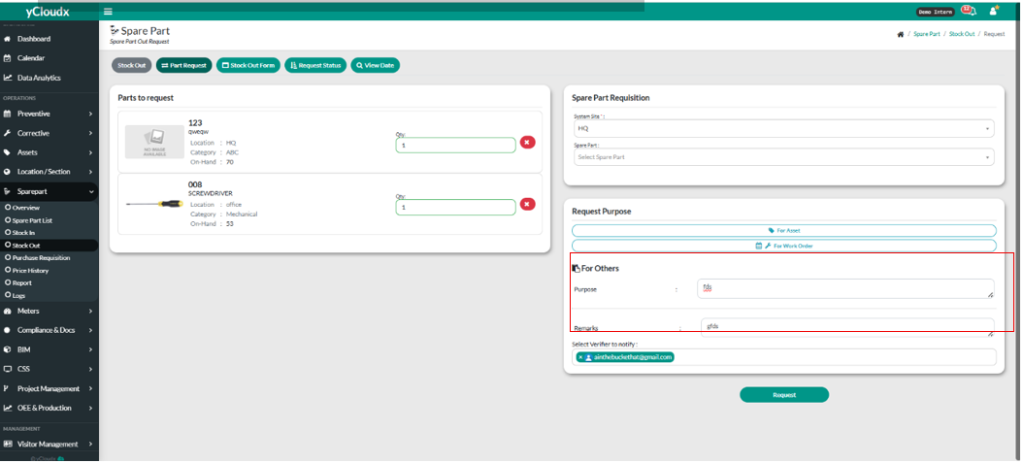
- Proceed Sparepart > Stock Out.
- User need to click the “Part Request” button.
- User need to fill in the System Site by choosing.
- User can make multiple spare part by clicking “Spare Part” and click the needed item.
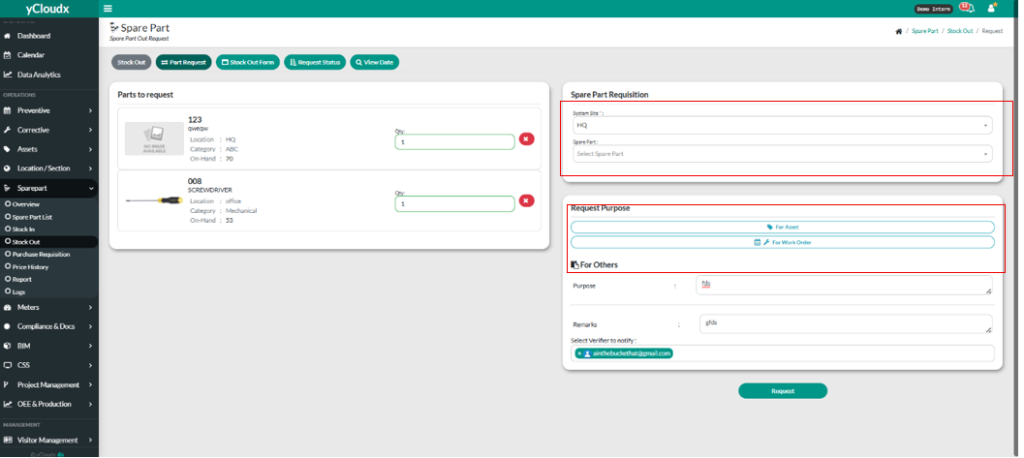
- User need to fill in the quantity (Qty) of the item.
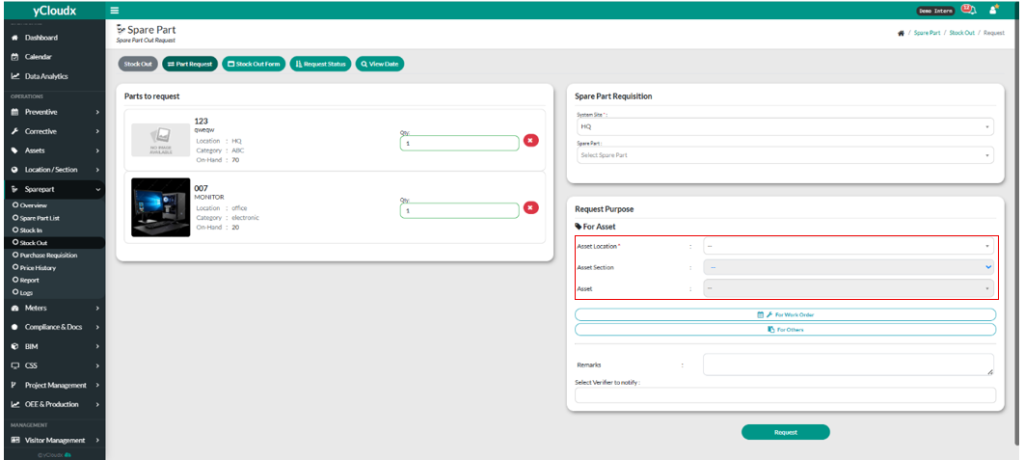
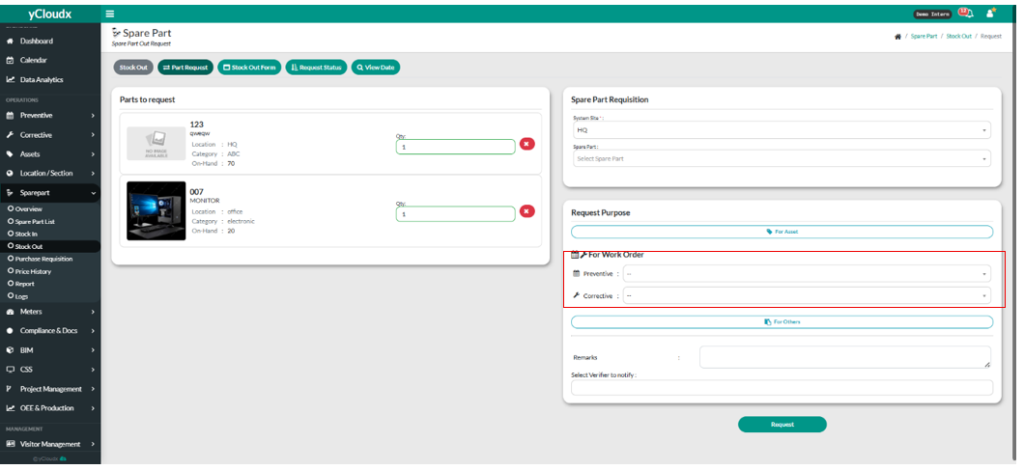
- On Request Purpose, user have 3 selection to choose.
- If user click “For Asset” button, user need to fill in Asset Location, Asset Section and Asset.
- If user click “For Work Order”, user to fill in the preventive and corrective
- If user click “For Others”, user need to fill in the purpose.
- User need to fill in the remarks and select the verifier to notify.
- User need click “Request” button for confirmation.
