
Skip to main content
How Can We Help?
How to submit a claim application?
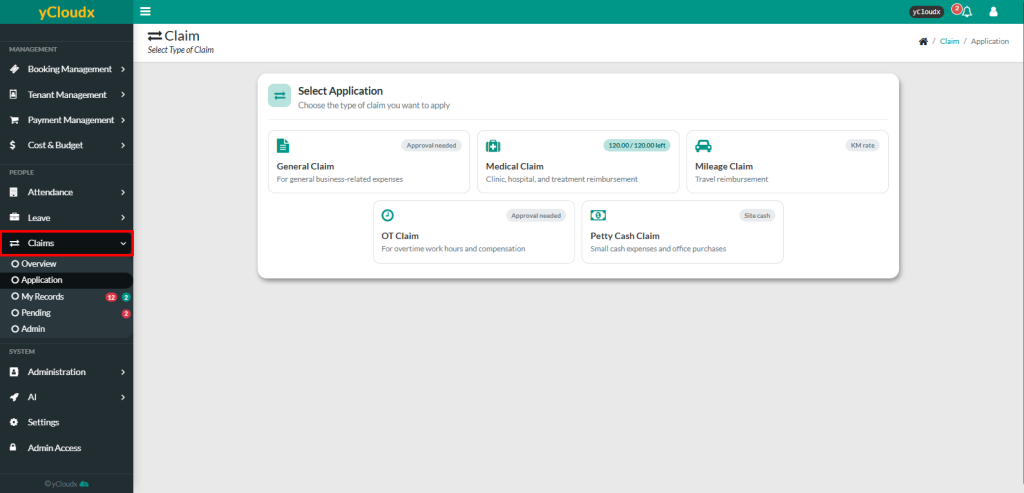
- Proceed to Claims > Application
- Select the type of claim to submit (e.g., General Claim, Medical Claim, Mileage Claim, OT Claim, or Petty Cash Claim)
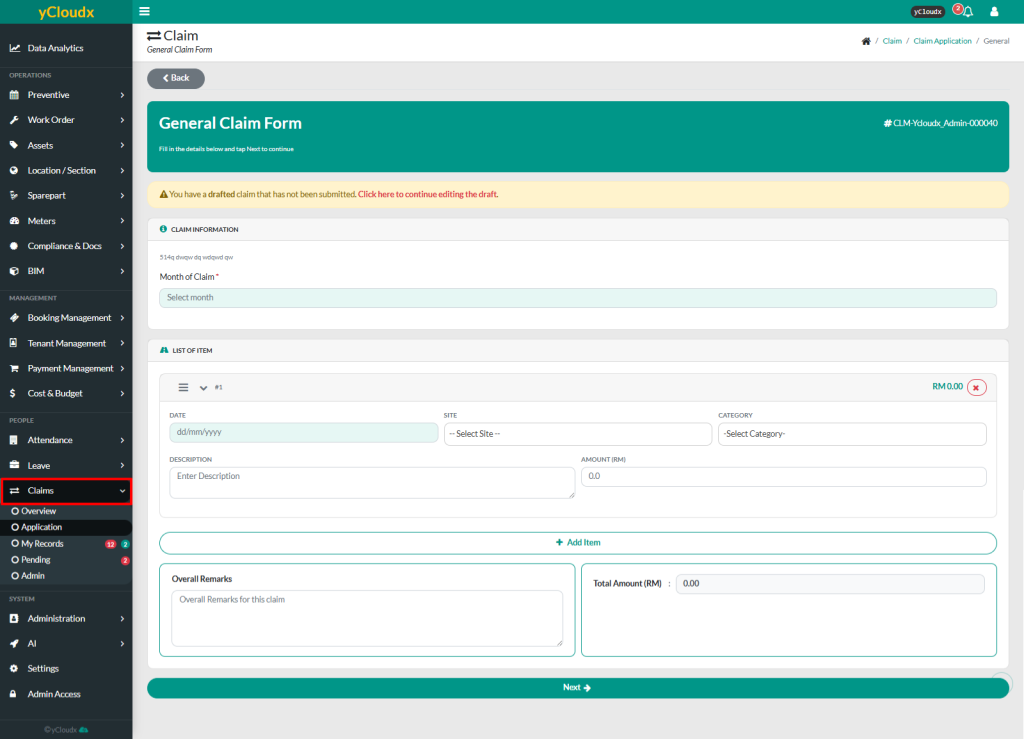
- Enter the required claim information, including the Month of Claim
- In the List of Item section, enter the details for each requirements depending on the chosen type of the claim
- Click Add Item to include additional claim items, if required
- Enter any Overall Remarks and verify that the Total Amount (RM) is correct
- Submit the claim application. The system will generate a unique Reference Number (Ref No.) for the claim
- Upload the required supporting documents or receipts by clicking the Attachment button for the respective claim item
- Review the claim summary and ensure all required attachments have been uploaded
- The submitted claim will be forwarded to the designated Checker and Approver for review
