Skip to content
Skip to main content
How to set work order rating for preventive maintenance?
Created On
byaini
Print
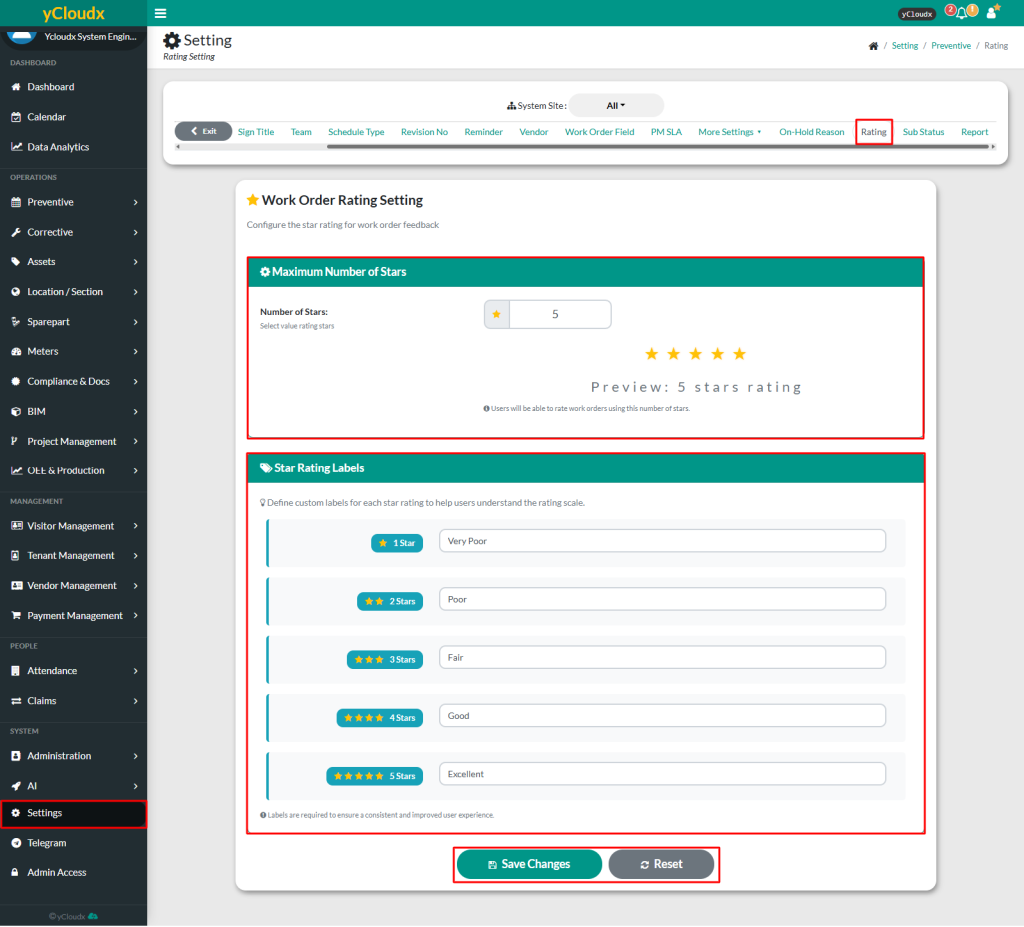
- Proceed to Setting > Preventive > Rating
- Enter the preferred number of stars in the Number of Stars under Maximum Number of Stars
- A preview of the selected star rating will be displayed
- Enter the preferred label for each star rating under Star Rating Labels to help users understand the rating scale, such as:
- 1 star – Very poor
- 2 stars – Pair
- 3 stars – Fair
- 4 stars – Good
- 5 stars – Excellent
- Click Save Changes to update the work order rating settings
- Click Reset to restore the previous settings
Scroll to Top

