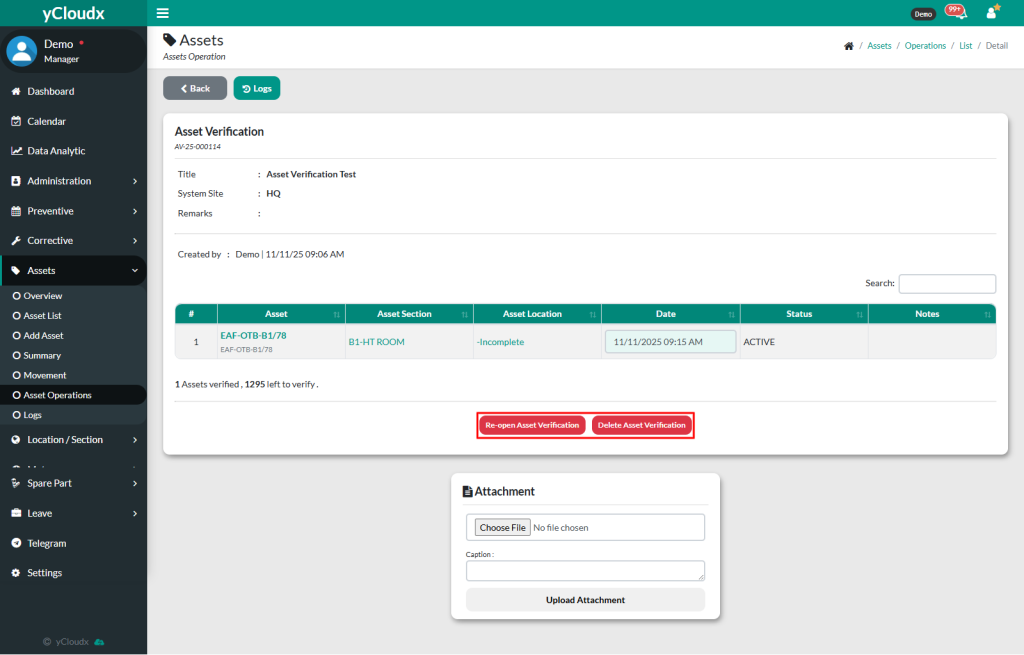
Click Re-open Asset Verification button to re-open the verification, or click the Delete Asset Verification button to delete it
Once the button is clicked, a pop-up will appear based on the selected action
After confirmation, once re-opened, the status will be updated from Closed to Pending, and if deleted, the record will be permanently removed from the asset verification list