
Skip to main content
How Can We Help?
How to Make a Report?
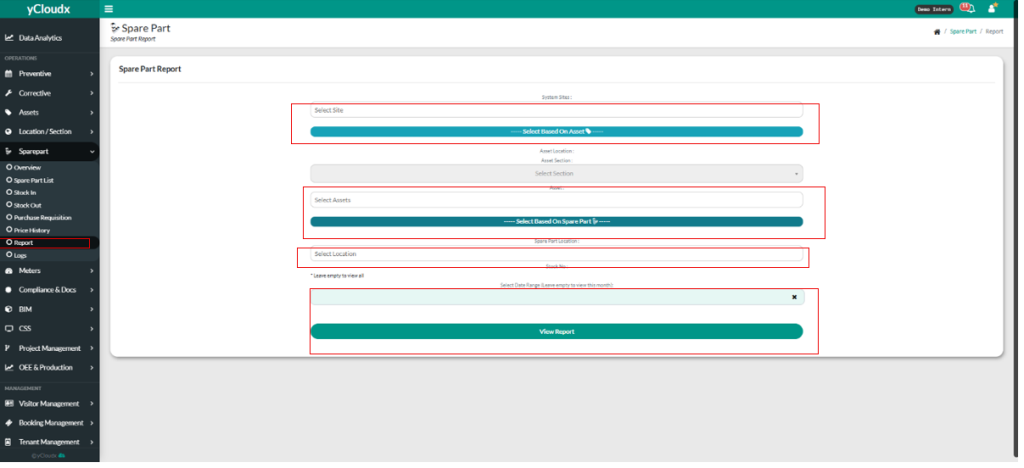
- Proceed Sparepart > Report
- User need to choose the system site.
- User have 2 choices to select based on or can select both of them.
- If user click “Select Based On Asset” button, user need to fill in Asset Location, Asset Section, Asset.
- If user click “Select Based on Spare Part” button, user need fill in Spare Part Location and Stock No. ( user can leave empty to view all )
- User need to select the date range.
- User need to click “View Report” button to view the report.
