
Skip to main content
How Can We Help?
How to Create New Quotation?
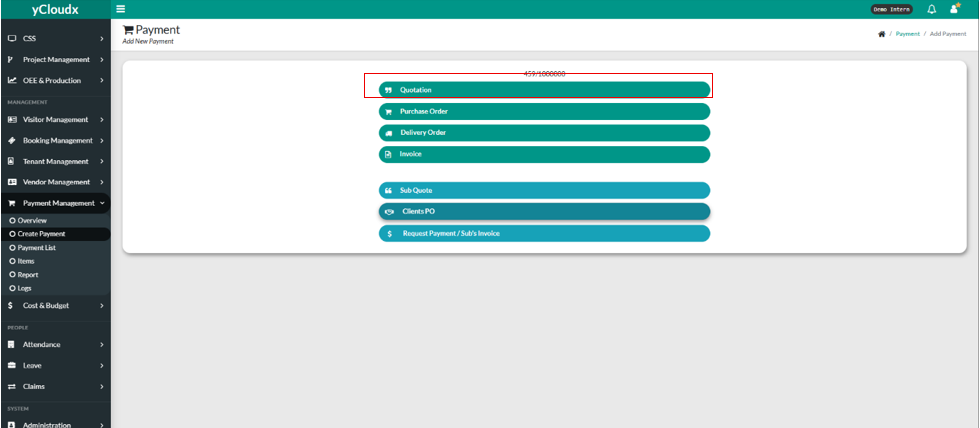
- User need to click the button “Quotation
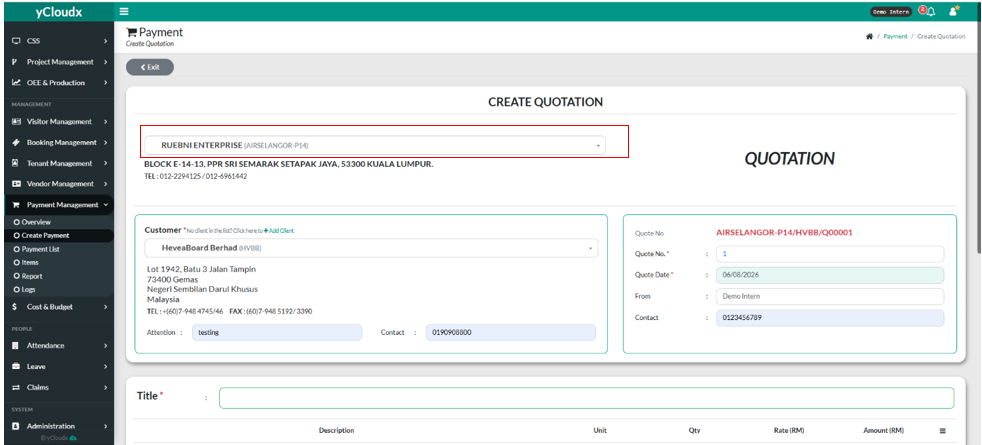
- User need to select the company from by clicking the box, and it has a drop down list of many company.
- User need to pick the customer or client by clicking the “–Select Client / Customer –” box.
- There will be a drop down list of the customer or client they can choose from.
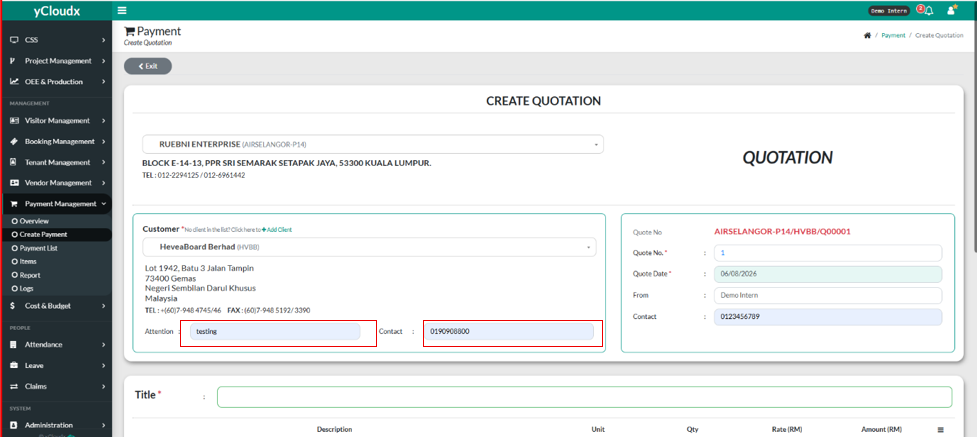
- User need to fill in the attention box and also the contact box.
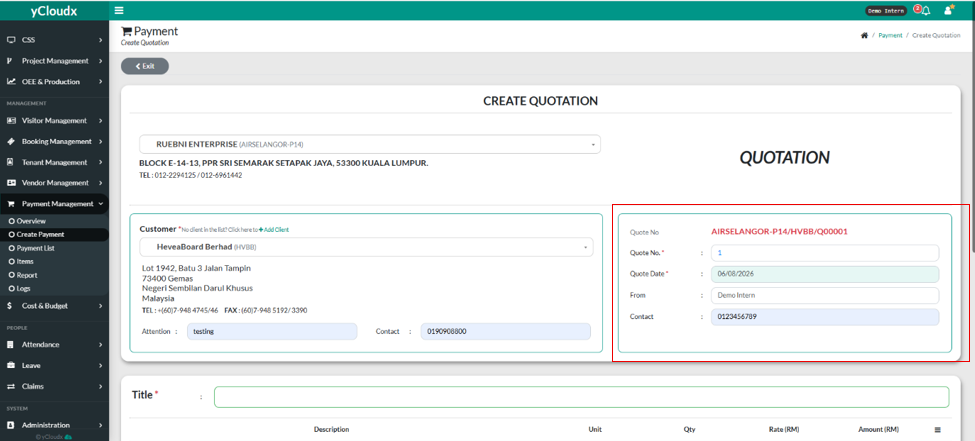
- User need to fill in the details of quotation such as Quote No, Quote Date, From and also Contact.
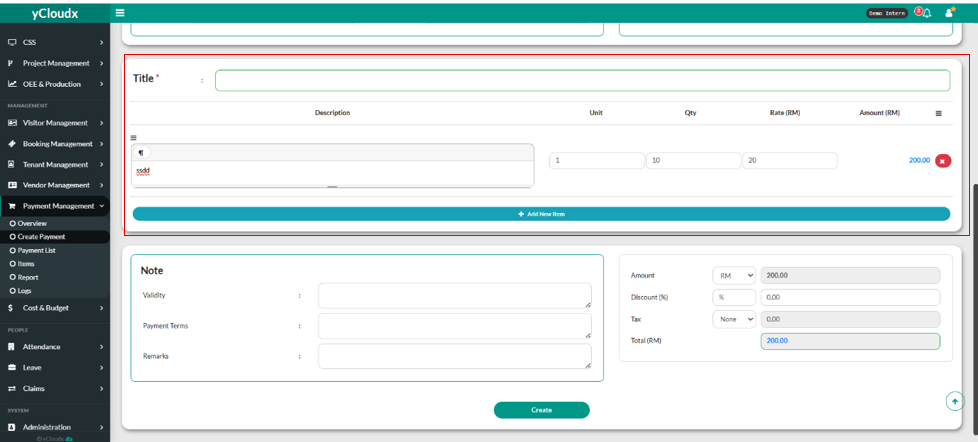
- User need to fill in the Title, Description, Unit, Qty ( Quantity ), Rate. The amount will be calculated by itself.
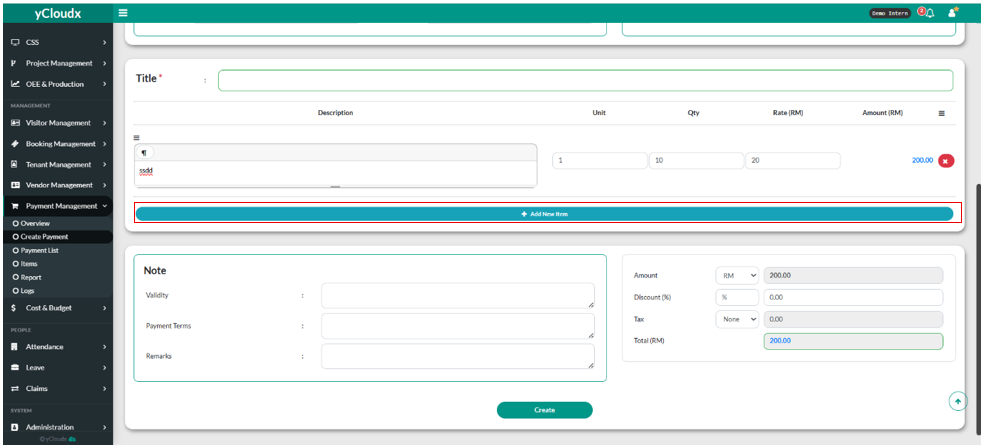
- If user wants to add new item, they need to click the “+Add New Item” and fill in all of the details.
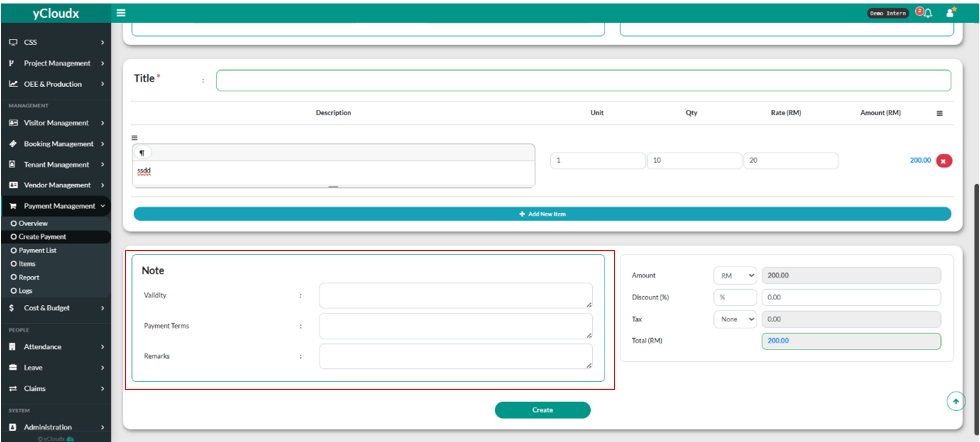
- Then, user need to fill in details in the Note textbox such as Validity, Payment Terms, and also Remarks.
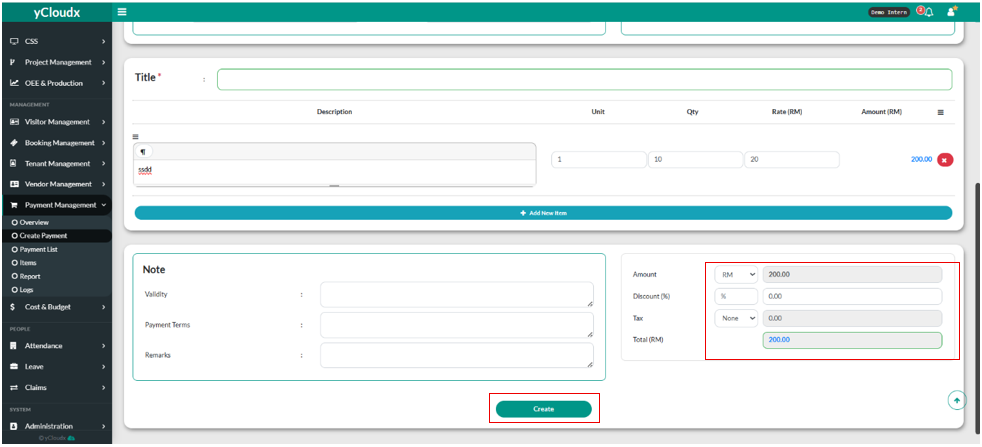
- User also can change the currency via clicking the amount and has 4 option to choose from ( RM, Baht, Dollar, US Dollar).
- User can put the discount and also the tax by clicking the textbox and fill in.
- Lastly user need to click the “Create” button.
