
Skip to main content
How Can We Help?
How To Create CSS as a User?
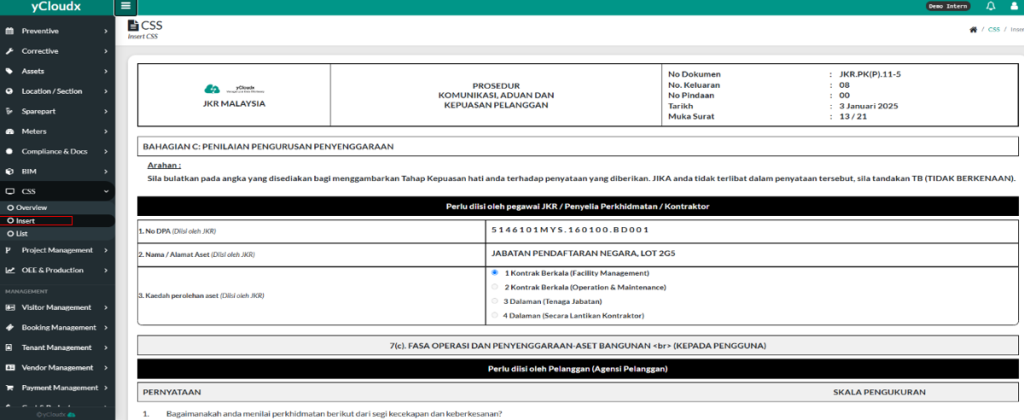
- Proceed to CSS > Insert.
- User will directly go to the Insert CSS Page
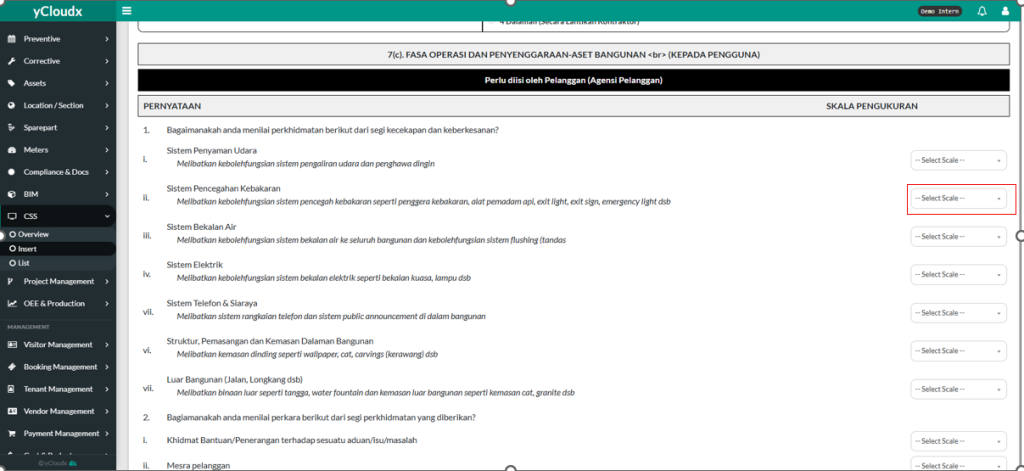
- User need to scroll down until they see part 7(c)
- User need to answer all of the questions by clicking “–Select Scale–“ buttons
- After user already clicked the “–Select Scale–” button, user will see the choices of answer they need to click between 1-7.
- All of it, the user need to answer all of the 12 questions.
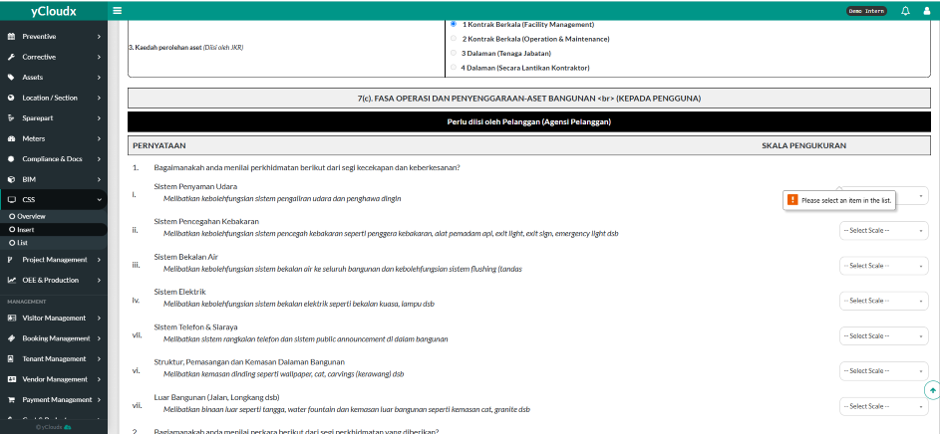
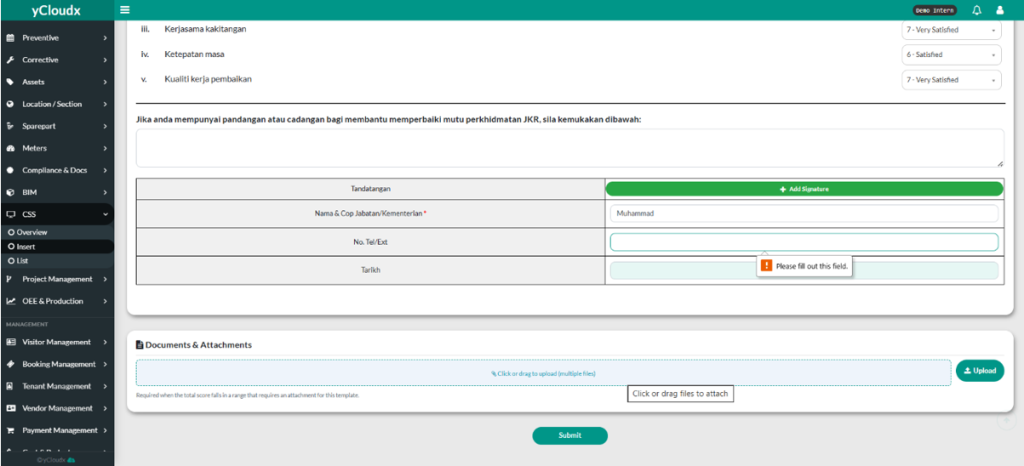
- If there are question they don’t answer, the system will ask the user to select the item in the list.
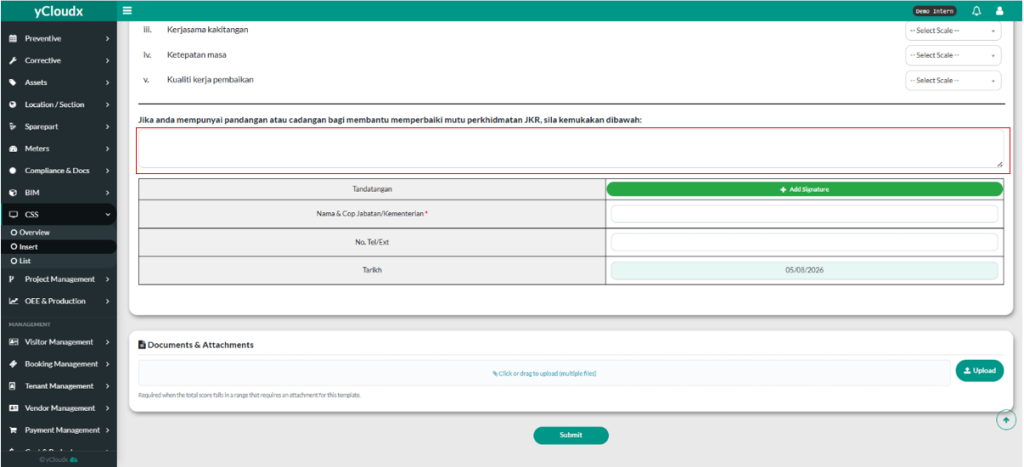
- If the user has some opinion to put, user need to write down the suggestions in the box.
- If user don’t have any opinion, user just can leave it.
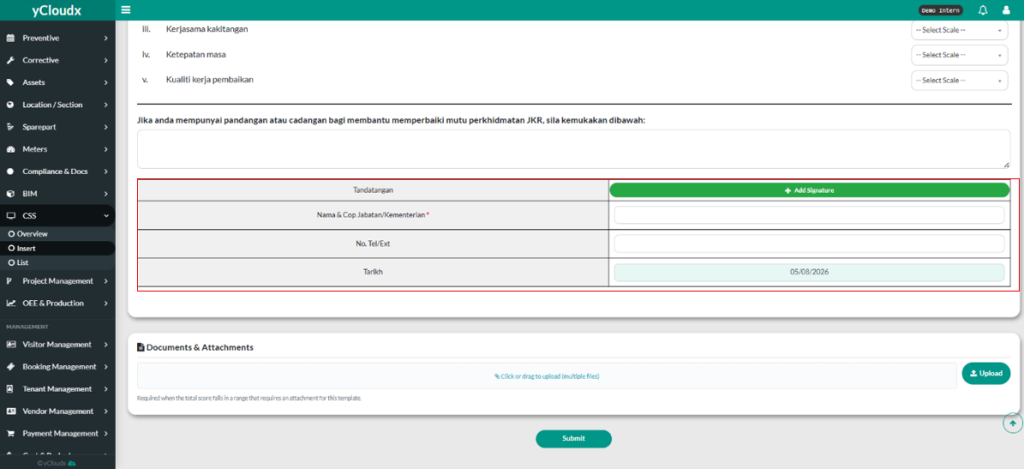
- User need to fill in details such as their sign, name, telephone number, and also date
- If there are missing information, the system will ask the user to select the item in the list.
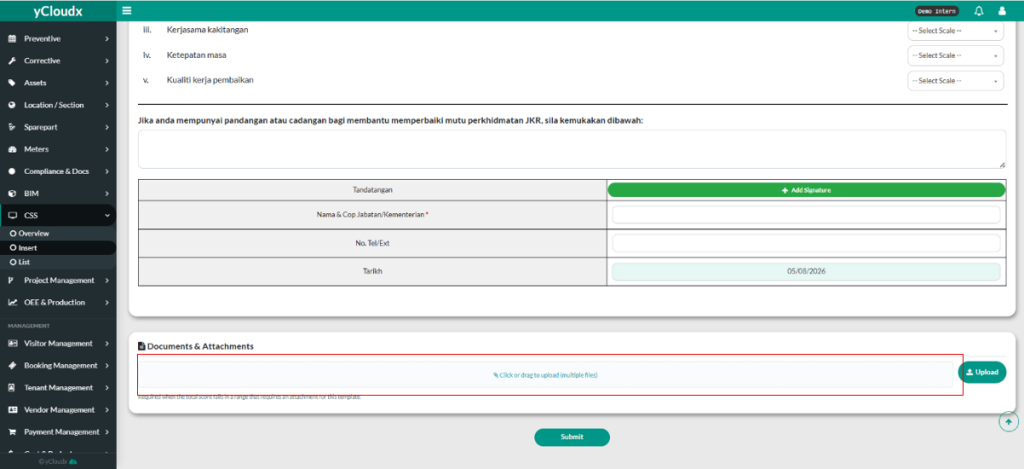
- User also can put any file to put in the documents by clicking the box and choosing the document they need to put.
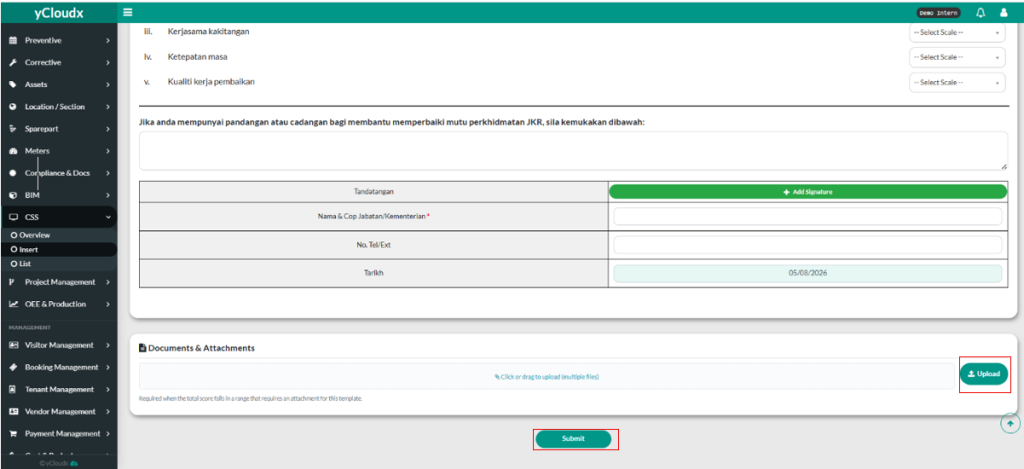
- User need to click the “Upload” button to make it is uploaded.
- Lastly, user need to click the “Submit” button to make sure that it is complete.
