How Can We Help?
How to combine meters?
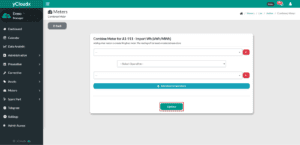
- Proceed to Meter > Meter List
- Select any meter and click Combined Meter button
- Select any meter to combine from the provided list, then choose the operation:
- Addition
- Subtraction
- Multiplication
- Division
- User is able to combine more than two metered with different operations
- Click Update to save and apply the combined meter setup