
Skip to main content
How Can We Help?
How to adjust mileage claim rate?
- Proceed to Settings > Claims > Mileage Claim
- Review the list of existing vehicle types and their current mileage claim rates
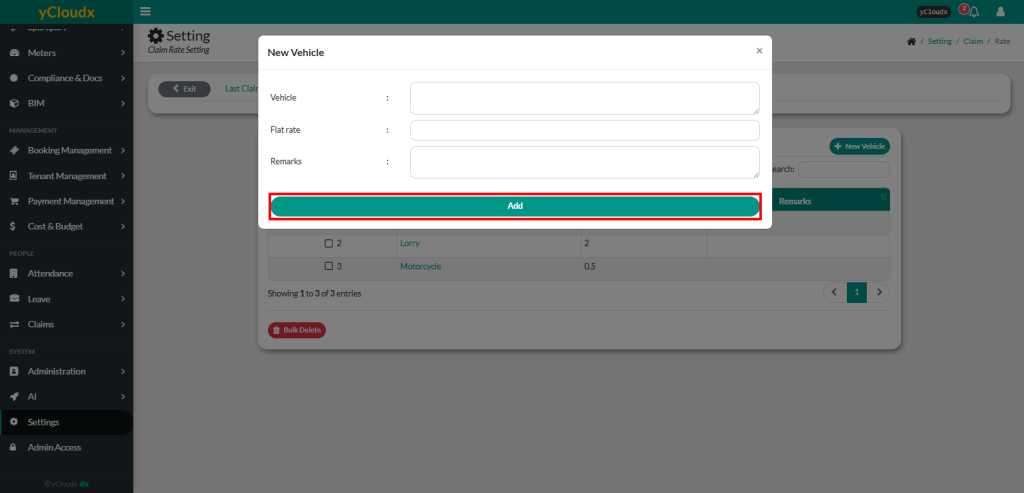
- To add a new mileage rate, click New Vehicle
- Enter the required information:
- Vehicle – Enter the vehicle type (car, motorcycle, lorry)
- Flat Rate – Enter the mileage claim rate for the selected vehicle
- Remarks – Enter any additional notes (optional)
- Click Add to save the new mileage claim rate
- The new vehicle type and mileage claim rate will be added to the Vehicle List and will be available for mileage claim calculations
