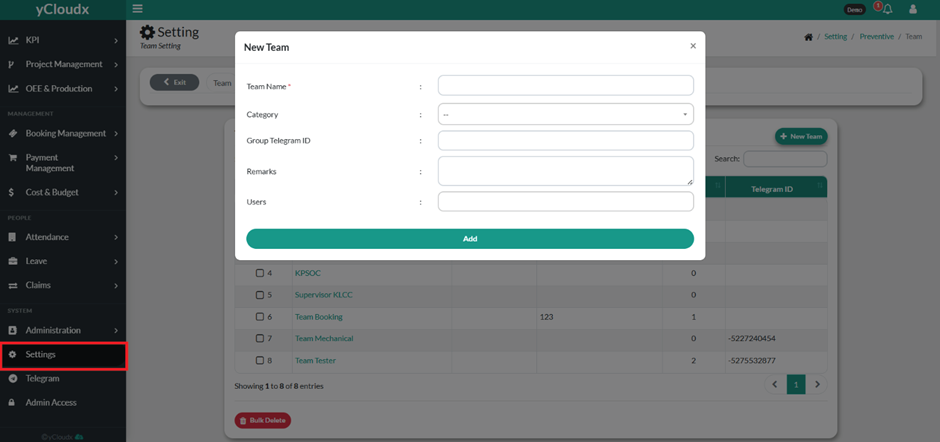
Enter the Group Telegram ID, if the team will use a Telegram group for notifications or communication.
Enter any relevant Remarks for the team.
Specify the Users to be assigned to the team.
Review the entered team information.
Click Add to create the new team.
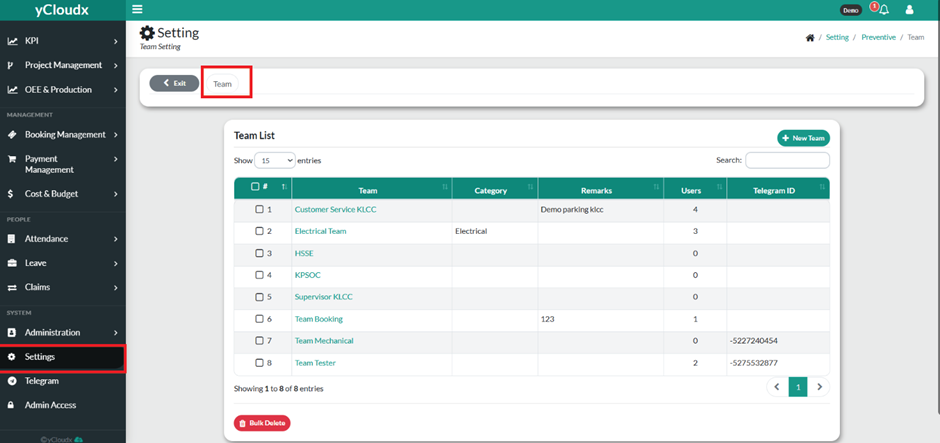
The newly created team will be displayed in the Team List.
Admin also can edit and delete the team here.
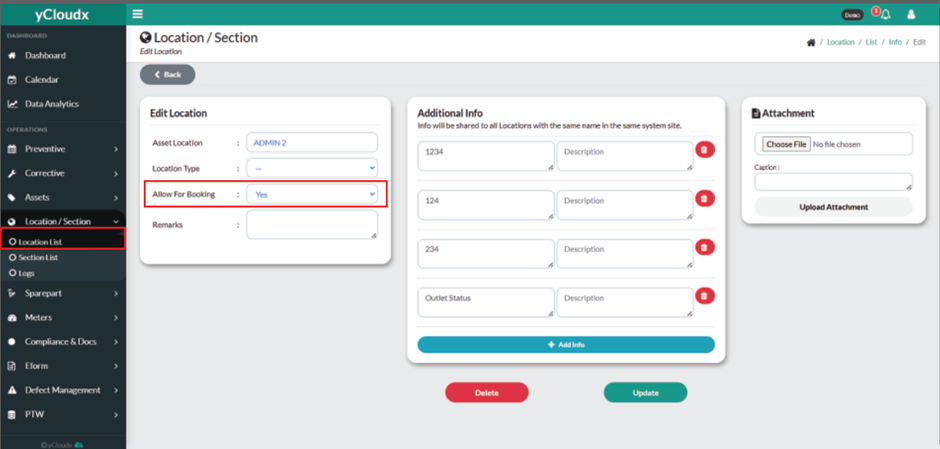
Extra Note: To allow users to make a booking for a location/section, the Allow For Booking option must be set to Yes. If it is set to No, the location/section will not be available for booking