
Skip to main content
How Can We Help?
How to edit project details?
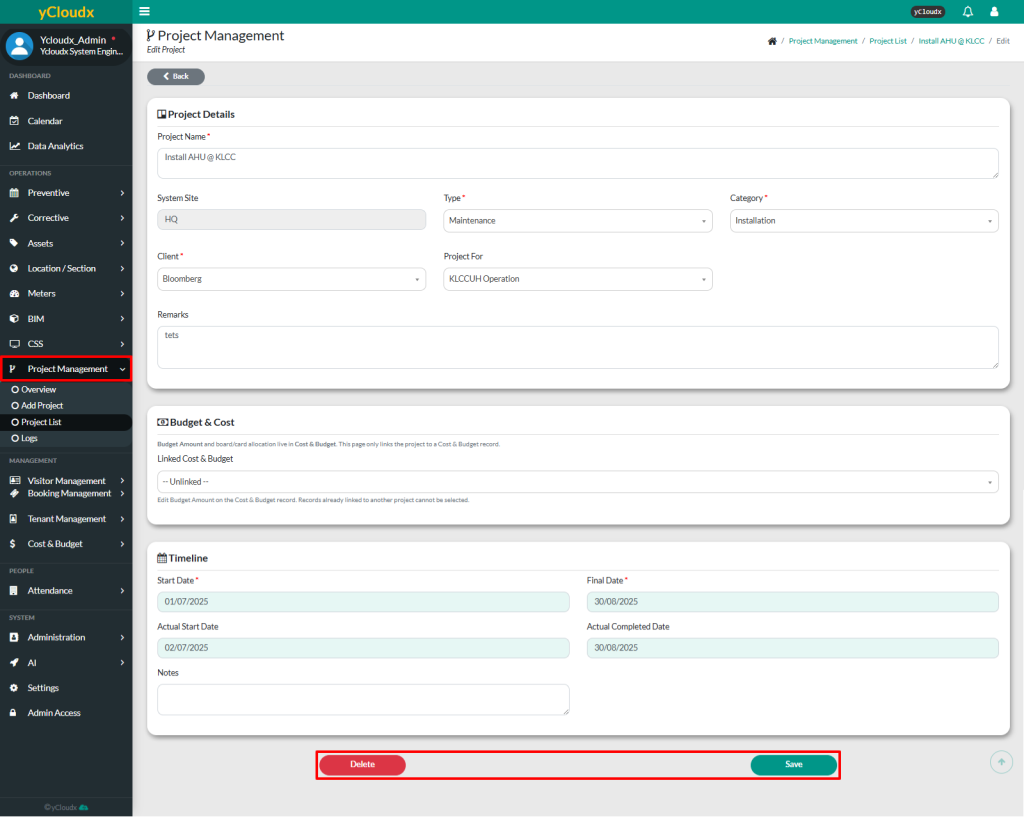
- Proceed to the Project Management > Project List
- Select which project to be edited or updated
- Edit the project details and click Save to apply the changes
- To delete the record, click Delete button
