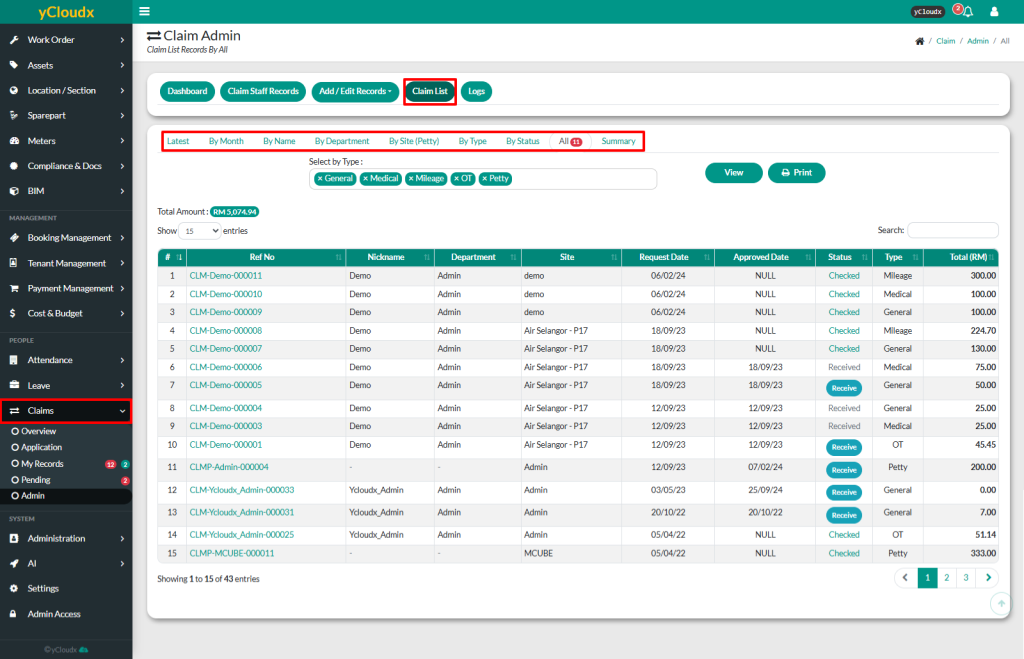
Select the preferred filter to view claim records, such as Latest, By Month, By Name, By Department, By Site (Petty), By Type, By Status, All or Summary
Select one or more claim types under Select by Type (e.g., General, Medical, Mileage, OT, or Petty).
Click View to display the selected claim records
Review the claim information, including the Reference Number, Nickname, Department, Site, Request Date, Approved Date, Status, Claim Type and Total Claim Amount
Use the Search box to locate a specific claim record, if required
Click the Reference Number of a claim to view the complete claim details
Click Print to generate a printable version of the displayed claim records