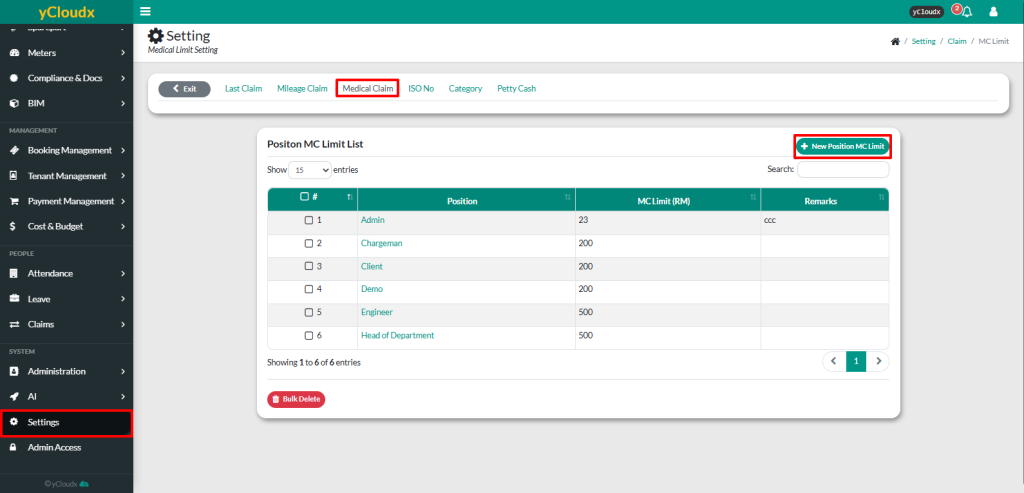
Review the list of positions and their current Medical Claim (MC) Limit
To add a new medical claim limit, click New Position MC Limit
Select the Position from the dropdown list
Enter the Medical Limit for the selected position
Enter Remarks if required (optional)
Click Add to save the medical claim limit
The new position and its medical claim limit will be added to the Position MC Limit List and will be applied when employees submit Medical Claim applications