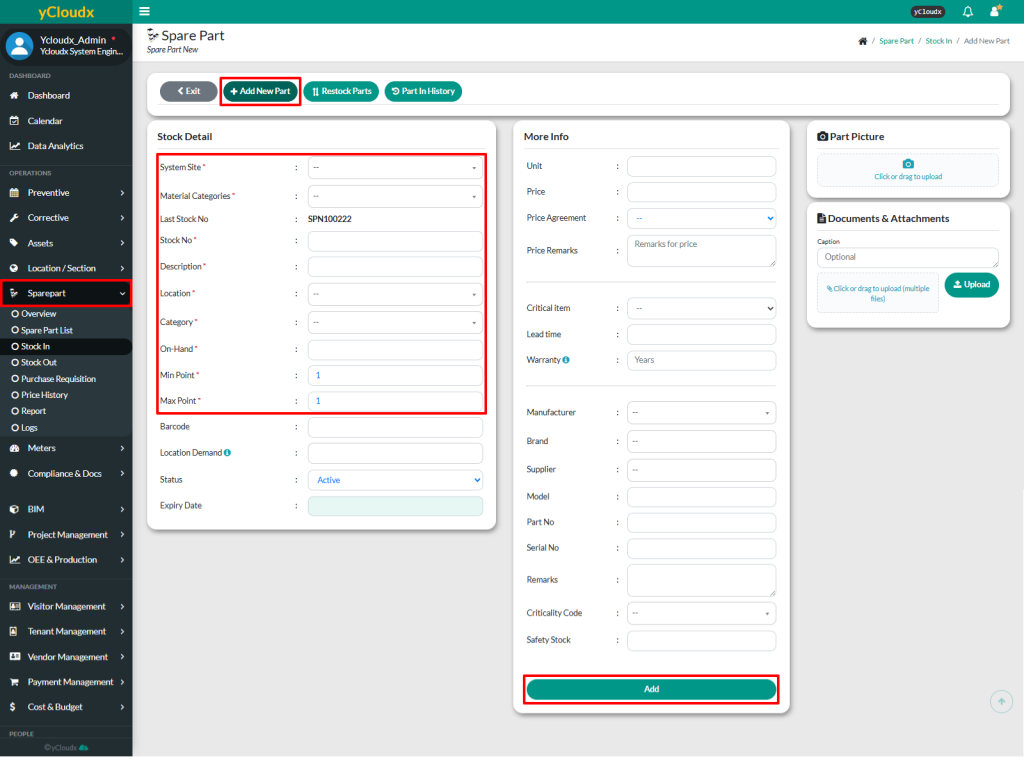
Fill in the details of the new spare part in the Stock Detail and More Info sections
The text fields marked with (*) are mandatory and must be filled in, such as System Site, Material Categories, Stock No, Description, Location, Category, On-Hand, Min Point and Max Point. Other fields are optional, but it is best to fill in all
User able to upload a picture and attachment of the spare part
Once all the required information has been entered, click Add to save the new spare part