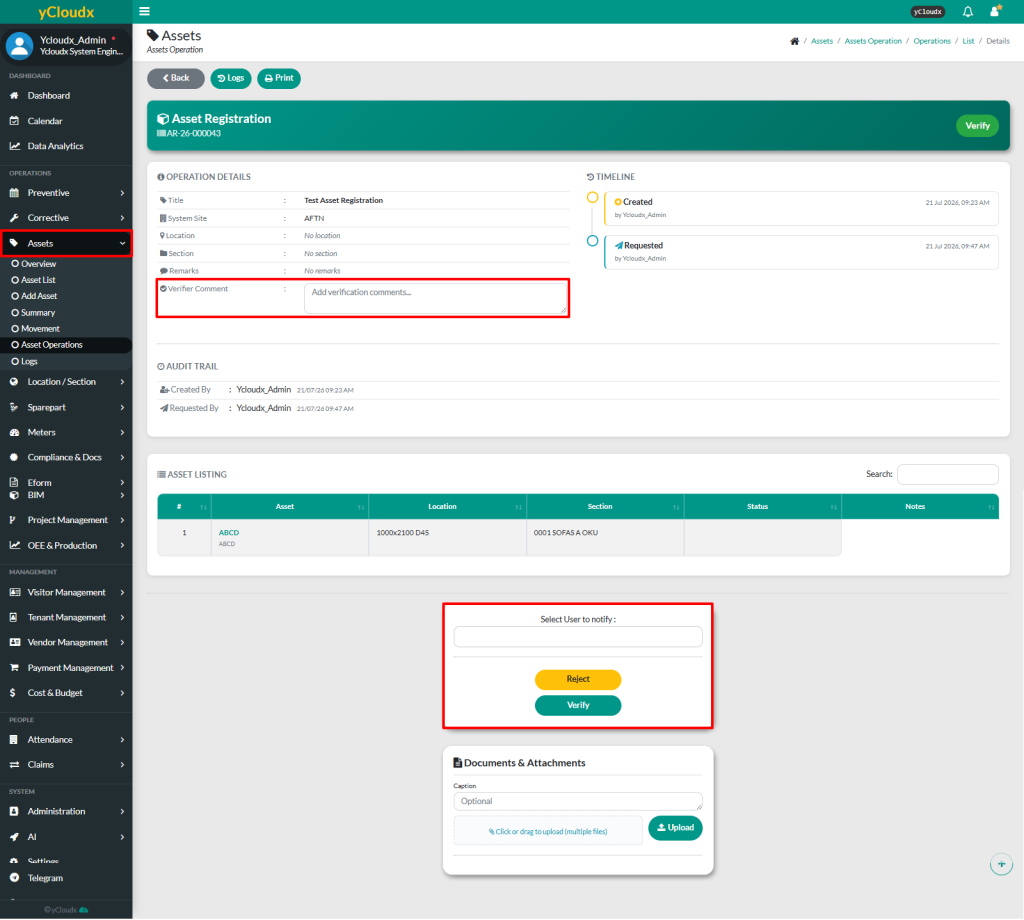
Users are able to insert their comment as a verifier for each asset registration. The comment will be visible to anyone who views the asset registration details
Once all details have been confirmed, user can click Verify button or Reject to reject the request
A pop-up notification will appear to inform that the asset has been successfully approved and the status will be updated from Verify to Confirm