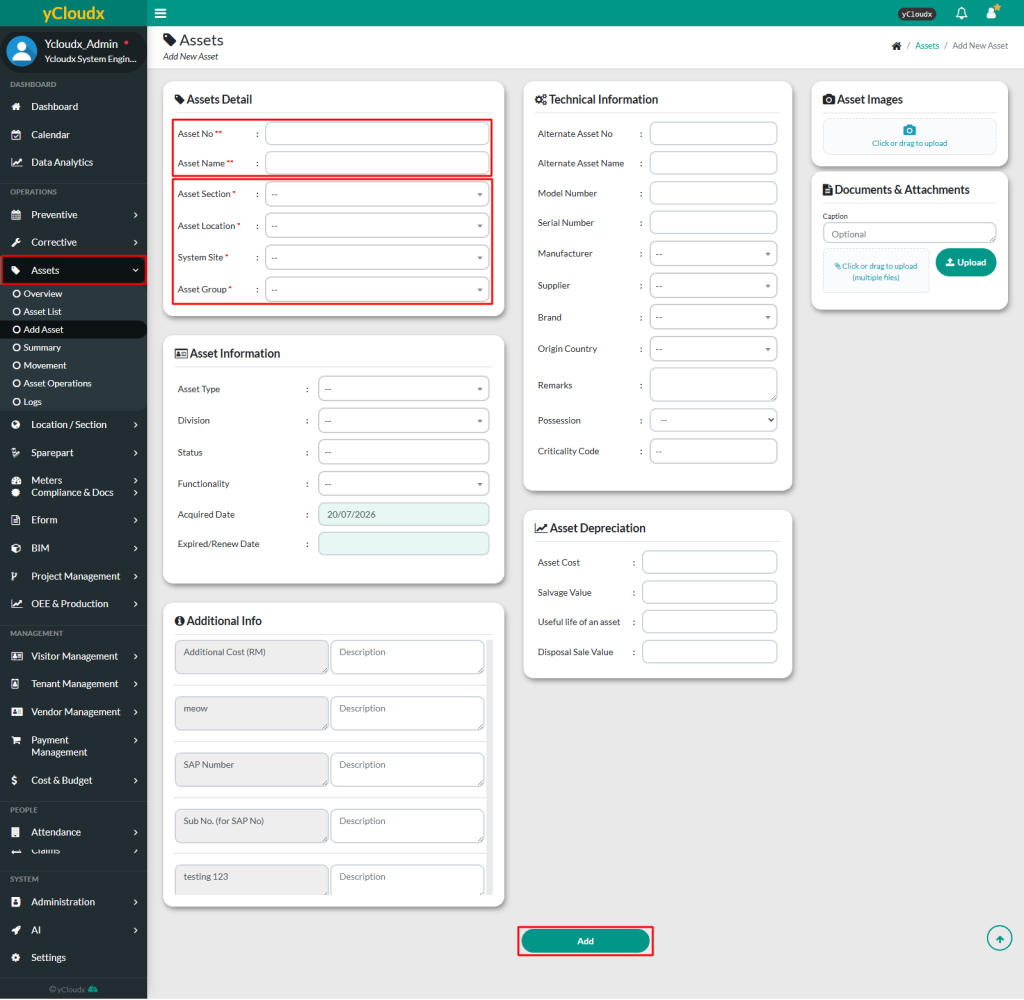
User need to fill in the information of the asset on the first page
The text fields marked with (**) must be unique for each asset and must be filled in such as Asset No and Asset Name
The text fields marked with (*) are mandatory, such as Asset Section, Asset Location, System Site and Asset Group. Others are optional but it is best to fill in all
User able to add any other additional information such as asset information, additional info, technical information, asset depreciation and attachment / picture (if any)
Click Add button to submit the new asset after all the information needed has been filled in
Once uploaded, user can view the assets in Assets > Asset List