
Skip to main content
How Can We Help?
How to Release the Stock Out?
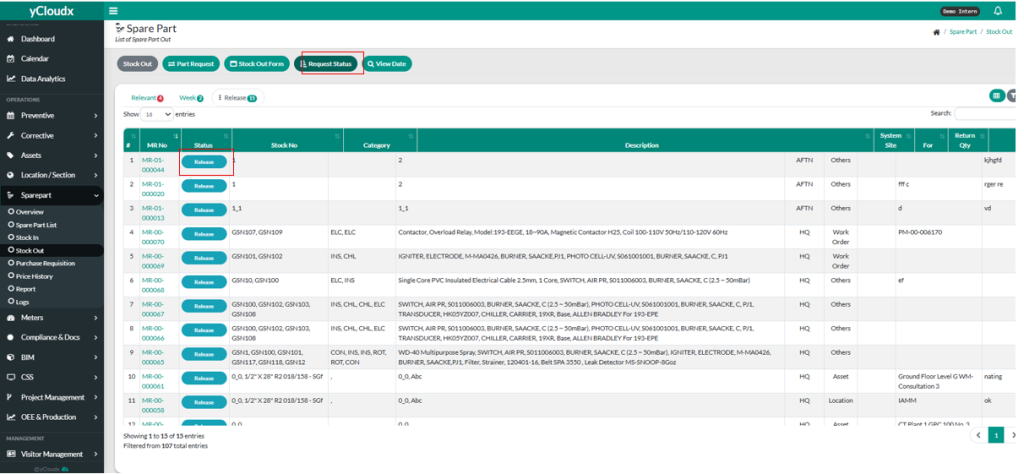
- Proceed Spare Part > Stock Out
- User need to click “Request Status”.
- User need to click the “All” button and select “Release”.
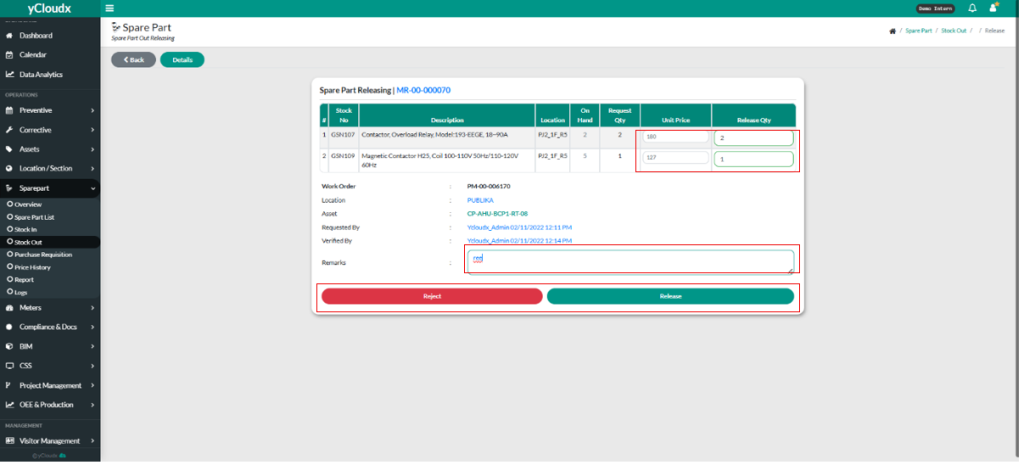
- User need to click the “Release” button.
- User need to fill in the Unit Price and Release Qty.
- User need to fill in the remarks.
- User have the option to accept or reject the request.
- User can click “Reject” to reject the request.
- User can click “ Accept” to accept the request.
