
Skip to main content
How Can We Help?
How to Add a New Event?
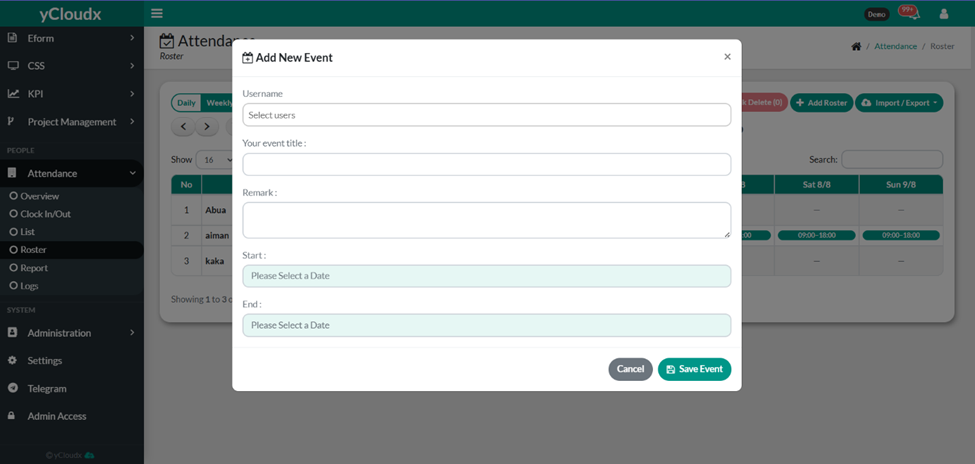
- Proceed to Attendance > Roster.
- Click the Add New Event button.
- Select the Username from the drop-down list.
- Enter the Event Title.
- Enter the Remark (optional).
- Select the Start date and time.
- Select the End date and time.
- Make sure the end date is after the start date.
- Verify that all required information is correct.
- Click Save Event to create the event or Cancel to discard the changes.
