How Can We Help?
How to add, update or delete asset type?
To add new asset type
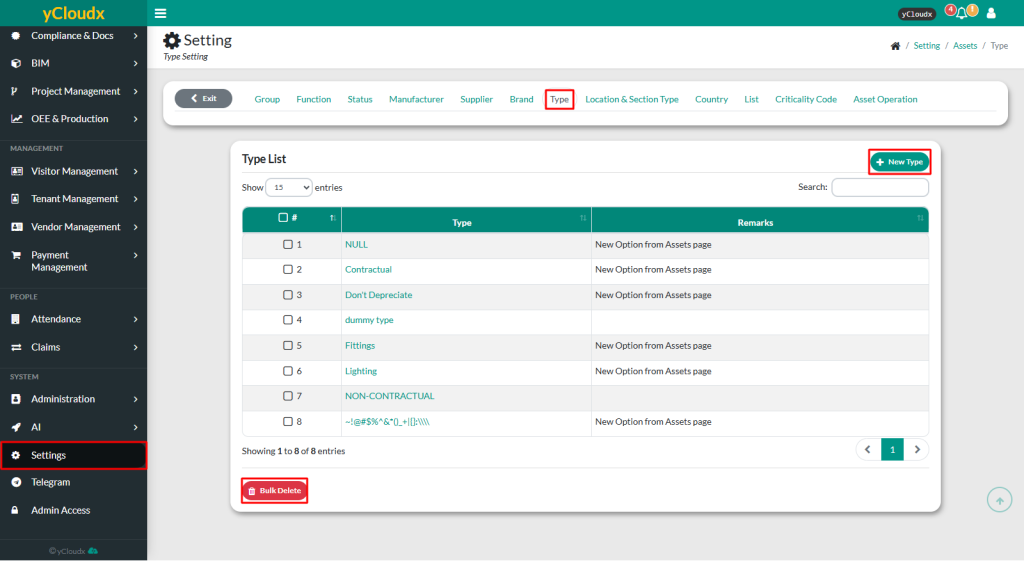
- Proceed to Setting > Asset > Type
- Insert new list in new type list details and provide remarks if needed
- Click Add, and the new type will be added to the list
To update or delete asset type
- Proceed to Setting > Asset > Type
- Select type to be updated or deleted
- Click Update to modify the details or Delete to remove it from the list
- To delete multiple type list at once, select the list and click Bulk Delete