
Facility management software.
Every operation connected.
Bring maintenance, assets, people and building operations into one shared view. yCloudx helps facility teams in Malaysia and beyond coordinate work across sites—from the first service request to verified completion.
For facility managers, engineering teams and property operators.
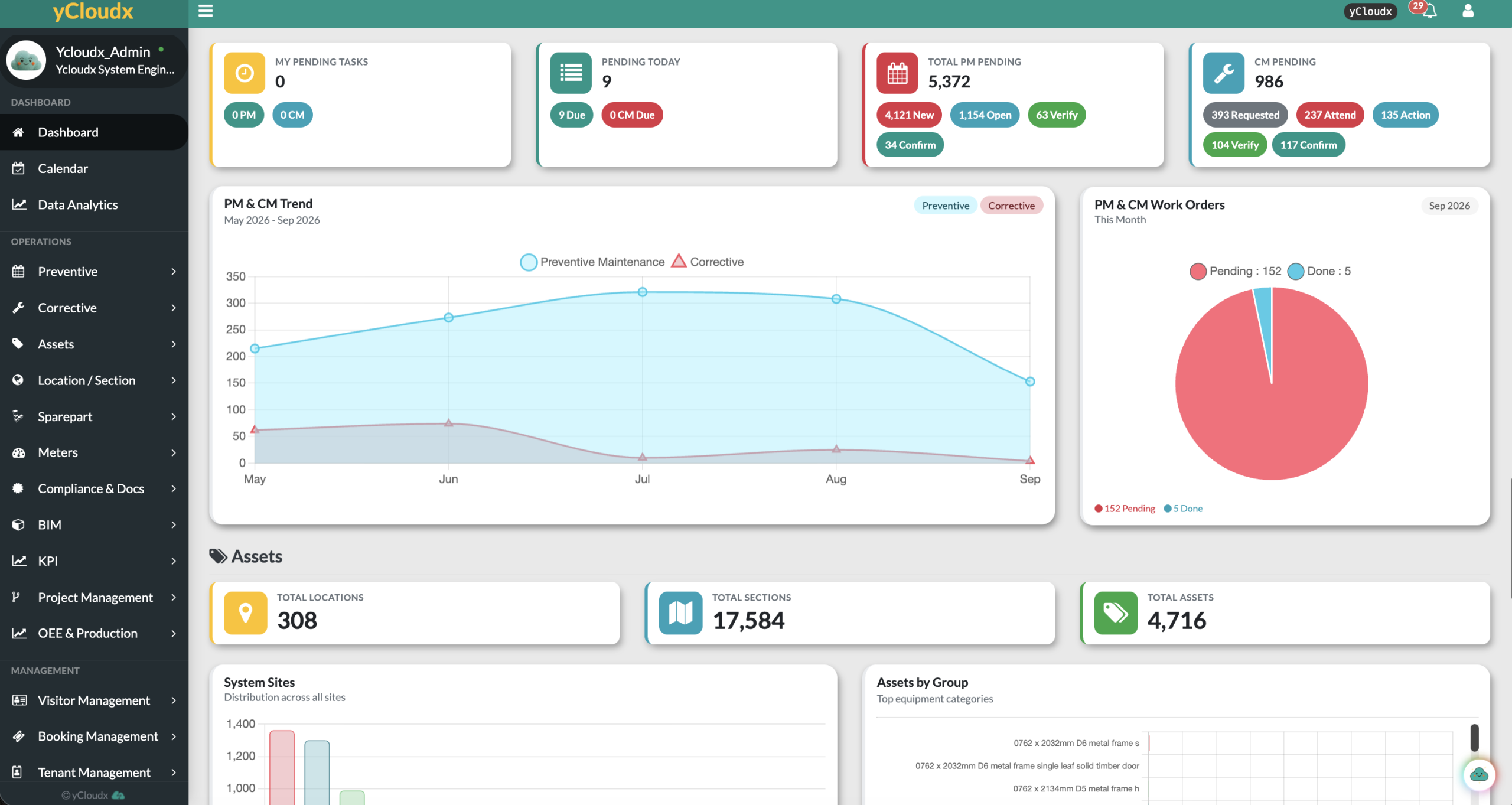
- 25+Years of expertisein maintenance and engineering, since 2000
- 1K+Sites servedfrom single buildings to nationwide portfolios
- 50K+Usersacross web and mobile
- 1M+Work orders & assetsrecords managed on the platform
- 30+Modulesstart with what you need, add more as you grow
Less fragmentation.
More operational context.
A facility management system brings together the records, responsibilities and workflows behind a functioning building. yCloudx connects maintenance execution with the wider needs of your facilities portfolio.
Keep work moving.
Plan preventive maintenance, manage corrective work orders and retain asset service history. Locations and sections give every task a clear place in the facility.
Connect the people.
Coordinate internal teams, vendors and tenant-related operations. Keep supporting documents and compliance activities alongside the operational records they relate to.
See the wider picture.
Review meter readings, utility billing, project progress and cost information. Give managers the context to investigate exceptions and prioritise the next action.
A clear handover.
At every stage.
Make responsibility and progress visible from reported issue to reviewed outcome. A shared workflow helps teams distinguish work that is assigned, being attended to, resolved or awaiting verification.
- 01
Request
Record the issue, location and supporting details.
- 02
Assign
Identify the responsible team or person.
- 03
Attend
Acknowledge and record attendance.
- 04
Resolve
Carry out the work and capture the outcome.
- 05
Verify
Review completion and supporting evidence.
- 06
Close
Confirm the work is ready to close.
- 07
Report
Review status, response and service history.
The work order.
The asset.
The full history.
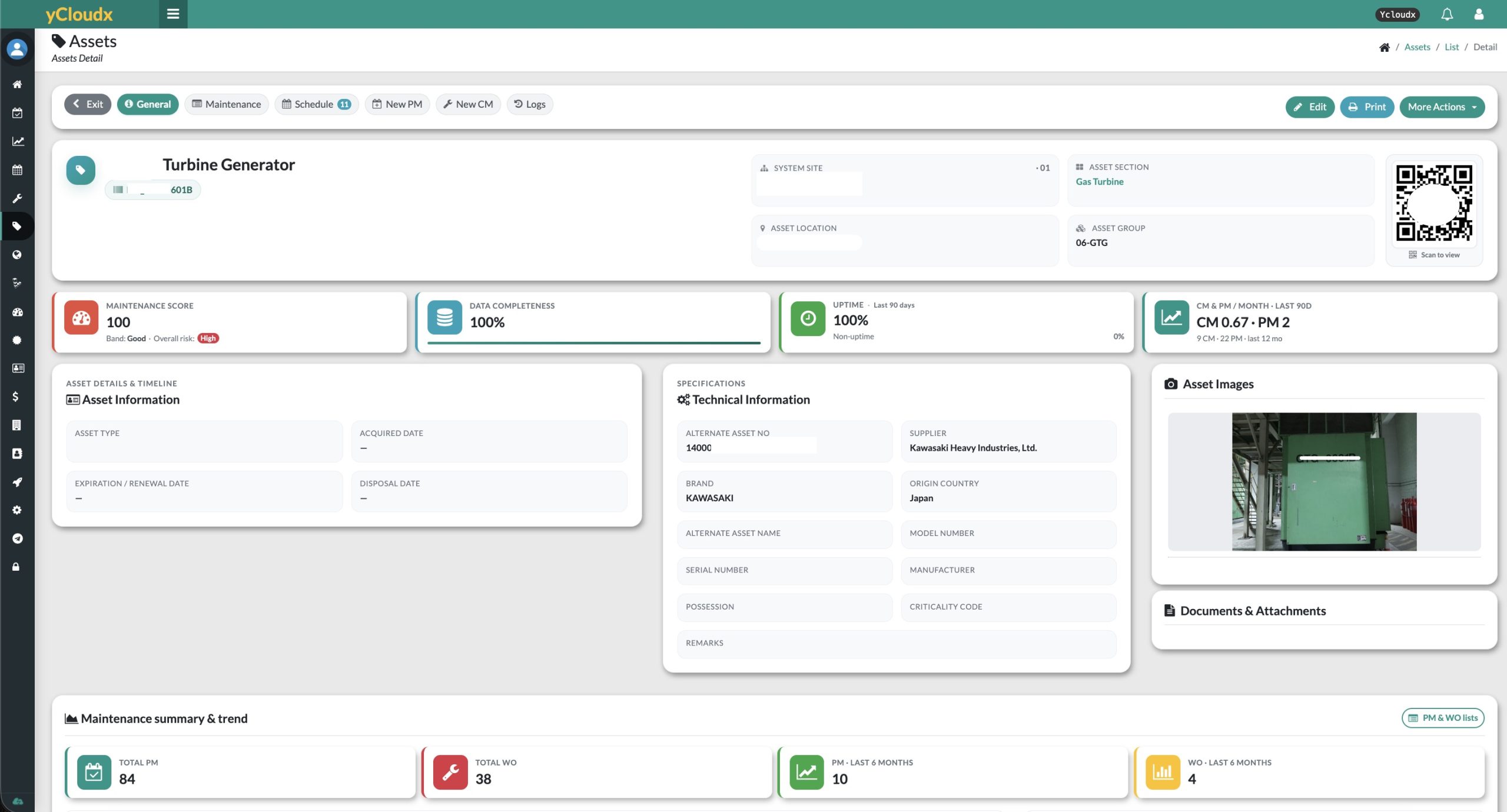
Facility maintenance management is stronger when teams can see what they are servicing, where it belongs and what happened before. Connect preventive schedules and corrective work to asset records rather than managing each in isolation.
- Plan recurring inspections and service activities.
- Review maintenance history before attending a fault.
- Keep meter readings, spare parts and recorded costs in the operational picture.
- Use minimum-stock visibility to plan replacement parts.
One portfolio.
Clear site-level detail.
Organise facilities in a structure your teams recognise. Keep the site, location, section and asset context visible when planning work and reviewing performance.
- 01EntityOrganisation or operating entity
- 02Site / BuildingFacility within the portfolio
- 03LocationDefined operational area
- 04SectionRoom, floor or working zone
- 05AssetEquipment and its history
Find the right asset and record work against the correct location.
Review maintenance activity across sites without losing building-level context.
Use consistent location and asset references when coordinating work.
Run the facility.
Not just the repairs.
Maintenance is only part of running a building. Add the facility modules your portfolio needs, and keep every team working from the same live record.
People & service partners
Assign jobs to vendors and track their response. Manage tenants, occupancy and contracts, register visitors with QR entry logs, and let occupants book rooms and shared facilities.
Documents & controlled work
Keep licences, certificates and contracts in one place with expiry alerts, and run permit-to-work approvals for contractor jobs, so every audit starts from organised records.
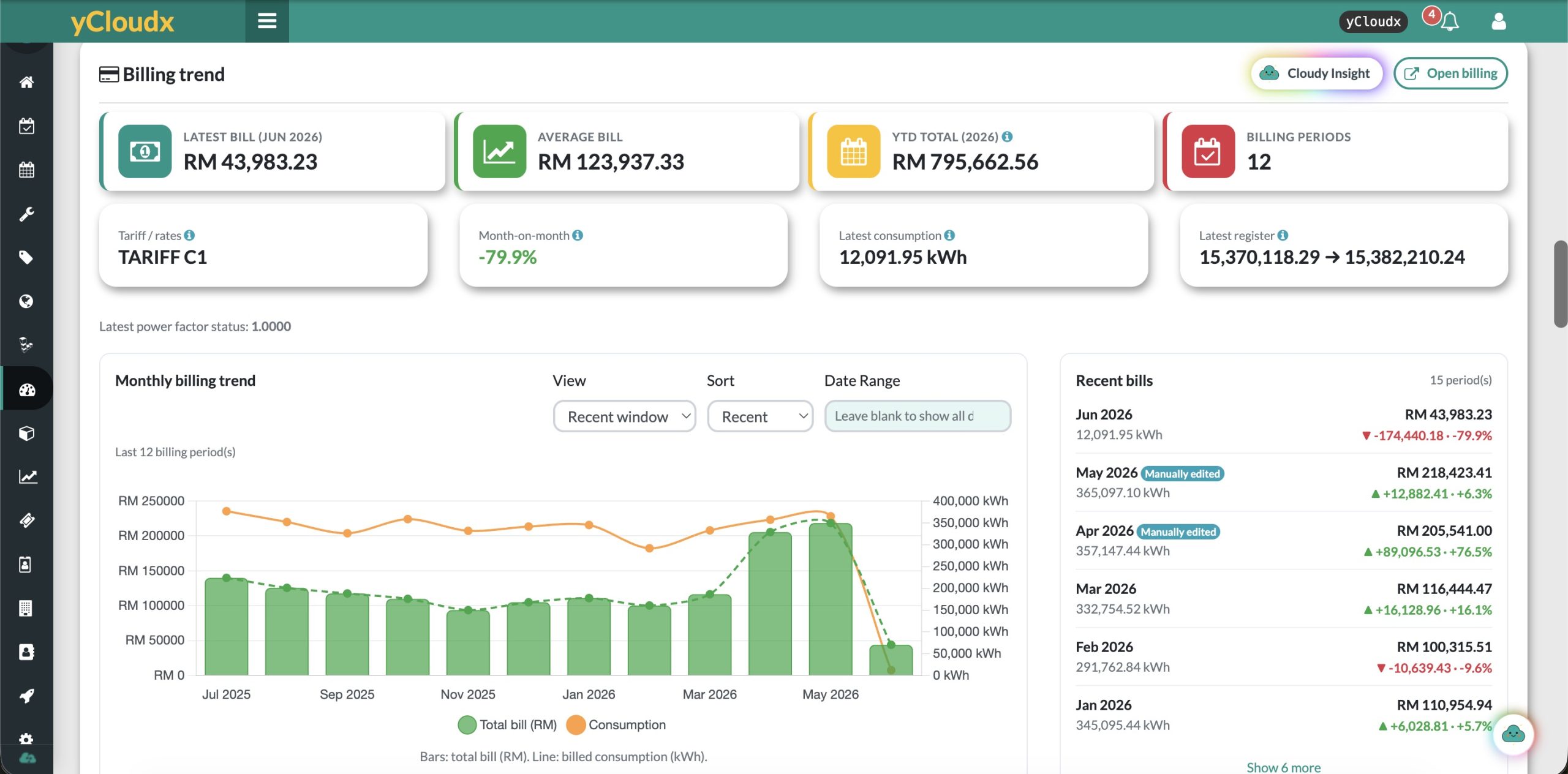
Utilities & billing
Capture meter readings, follow consumption trends and generate utility bills from configured formulas.
Explore Utility Billing Management →Projects & budgets
Coordinate upgrades, audits and planned works with project views, Gantt charts, S-curves and cost and budget monitoring.
Explore Project Management →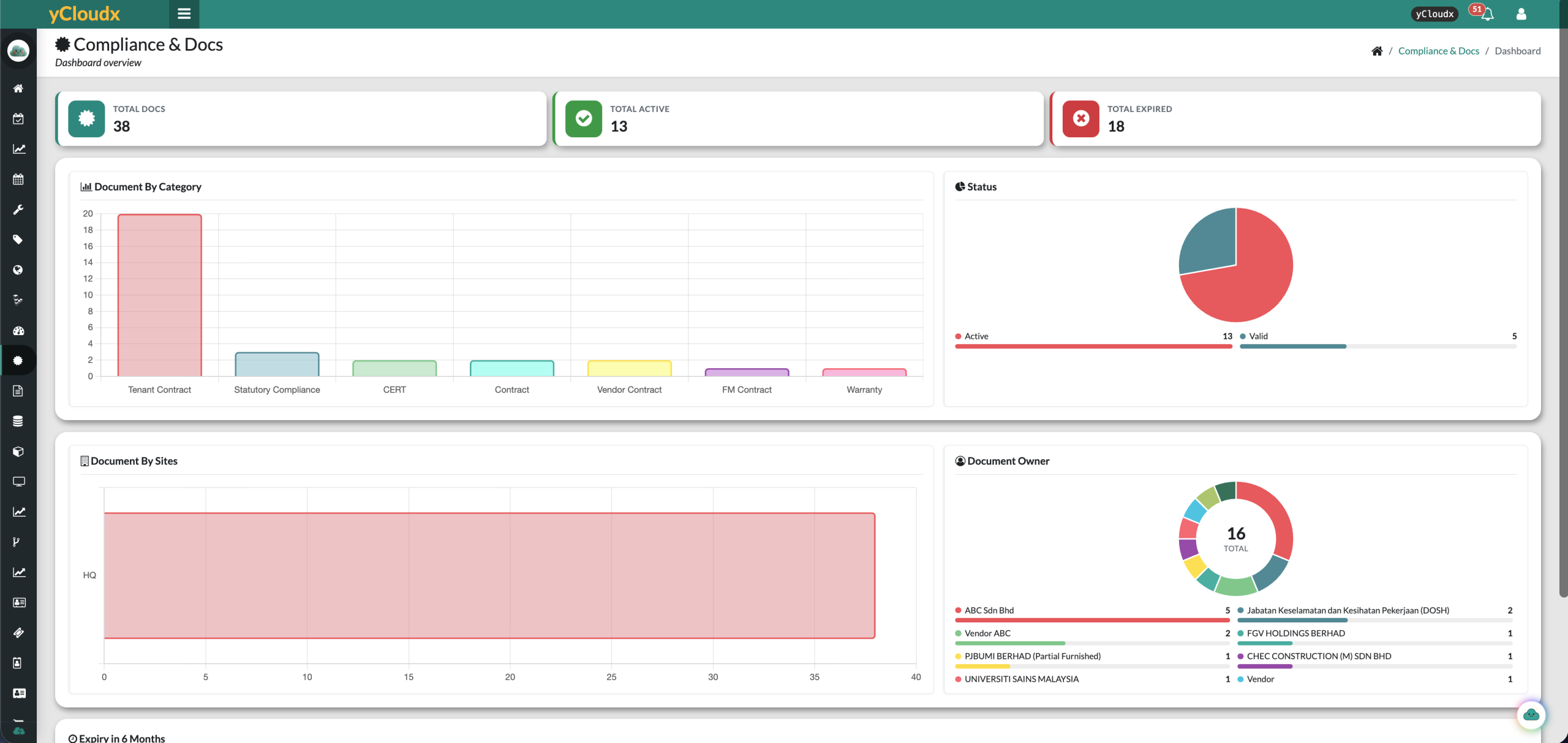
At the equipment.
Not back at the desk.
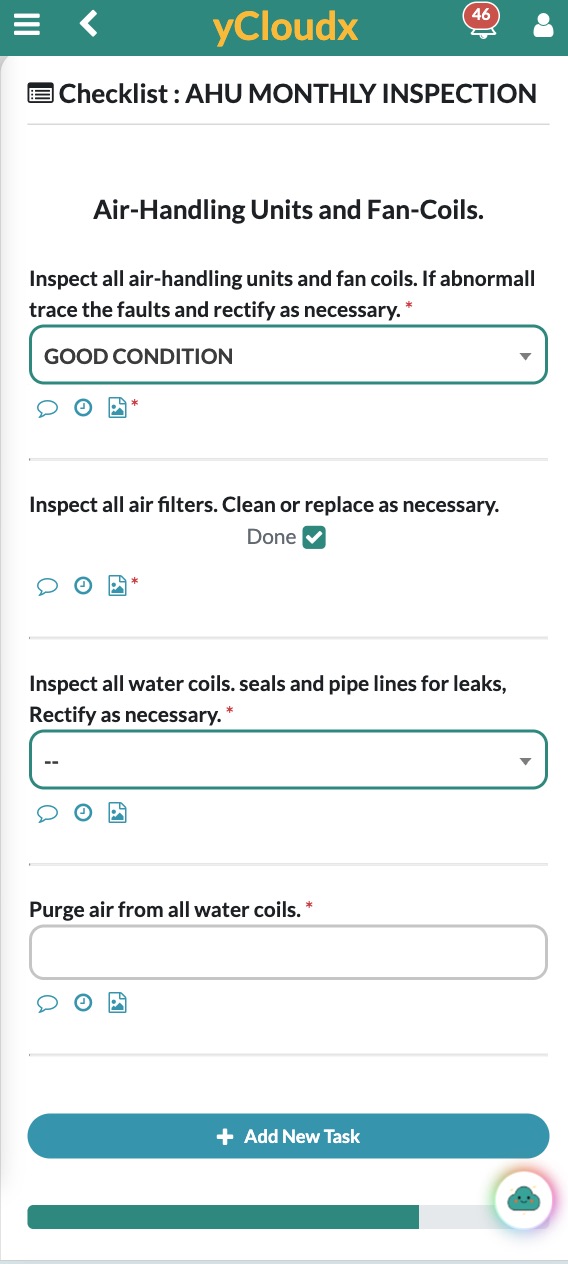
Give technicians access to the information and actions they need while working on site. Mobile work orders, asset access and PM checklists connect field activity with the office view.
Access assigned work, follow instructions and update progress.
Capture checklist responses and supporting photos during the task.
Identify tagged equipment and access its digital record.
Complete supported checklists and photos offline, then sync when connectivity returns.
Know what needs
attention next.
Move from a list of jobs to an operational review. Monitor work-order status, PM completion, backlog and service response, then investigate the underlying records.
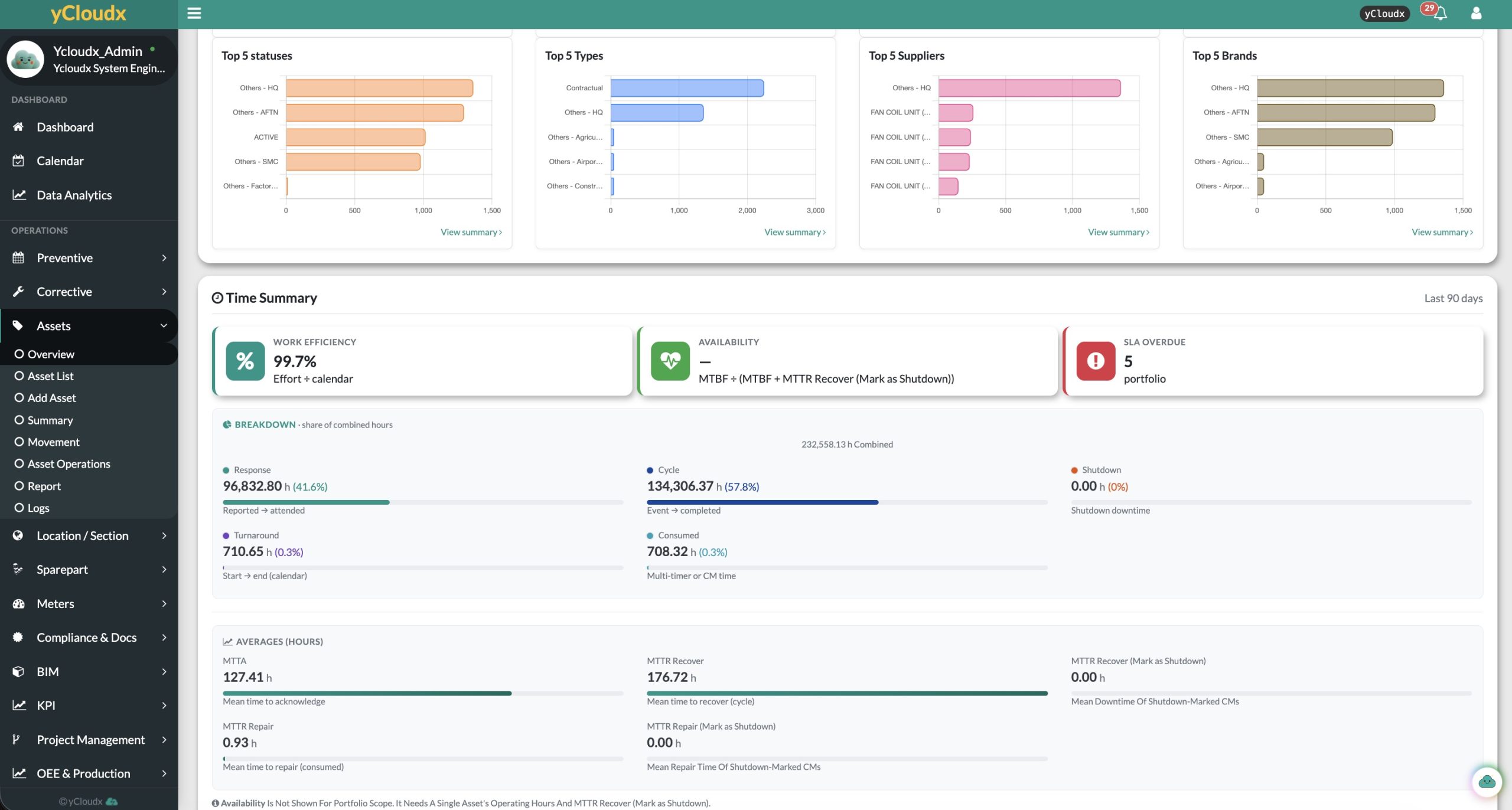
Review open, pending, completed and overdue work alongside PM activity.
Track within-SLA and breached work; examine response and resolution information.
Review asset trends, service-partner performance and recorded costs where configured.
Give facility data
more context.
Extend the operational record with model information, meter data and agreed integrations. Start with a defined use case, then connect the relevant technology.
BIM integration
Bring building-model context into facility and maintenance workflows.
Explore BIM Integration →IoT integration
Use connected readings and configured triggers to inform operational action.
Explore IoT Integration →Open API & integrations
Connect agreed data flows with other business systems. Confirm endpoints, permissions and mapping during scoping.
Discuss your integration →Asset Map, floor plans & GIS
See every asset by site, location and section on one map, and pin equipment on uploaded floor plans or Google Maps so teams can find it on site.
Explore Asset Map →Cloudy AI
Support available writing, inspection and voice-input workflows. Teams review AI output before applying it.
See Cloudy in a demo →Integrations are scoped with you during implementation.
Choose the scope.
Not just the acronym.
Facility management, CMMS and CAFM overlap, but they are not identical. The right fit depends on whether you need maintenance execution, broader building operations, or both.
Facility Management Software
A broad software category for coordinating buildings, services, people and operational resources. Its scope can include maintenance, occupants, vendors, utilities and projects.
CMMS
A Computerised Maintenance Management System focuses on maintenance planning and execution: work orders, preventive schedules, parts, asset service history and performance.
CAFM
Computer-Aided Facility Management describes software supporting facility planning and operations. Space and location information often feature prominently; capabilities vary by product.
How yCloudx brings them together
yCloudx combines CMMS maintenance workflows and asset management with wider facility-operation modules. Teams can coordinate maintenance, vendors, tenants, utilities and projects using a connected facility management platform—not a separate record for every department.
For business-system requirements beyond facility operations, explore ERP & Business Operations. For a maintenance-focused introduction, read our maintenance management software guide.
For buildings that
depend on coordinated teams.
Support facility managers, maintenance and engineering teams, property/FM companies and organisations responsible for multiple buildings. Set up the locations, service processes and reporting that match your portfolio.
Evaluating a facility management system in Malaysia or for international operations? Bring your site structure and a typical service request to the demonstration.
Facility Management FAQs
What is facility management software?
Facility management software helps organisations coordinate the buildings, assets, people and services behind daily operations. It brings records and workflows such as maintenance requests, planned servicing, vendor activity and utility information into a shared system.
What is a facility management system?
A facility management system combines operational processes, responsibilities and supporting software to manage facilities. yCloudx provides the software layer for tracking assets, maintenance and selected wider facility activities across sites.
Who should use facility maintenance systems?
Facility managers, maintenance and engineering teams, property operators and service companies use facility maintenance systems to coordinate work and retain records. Relevant environments include offices, factories, warehouses, public-sector buildings, healthcare, education, retail and hospitality.
How is facility management software different from CMMS?
CMMS primarily focuses on maintenance execution, including work orders, preventive maintenance, parts and service history. Facility management software has a broader operational scope that can also cover tenants, vendors, utilities, bookings and projects. yCloudx combines maintenance and wider facility-operation capabilities.
What does CAFM mean?
CAFM stands for Computer-Aided Facility Management. It describes software used to support facility planning and operations, often including space, location, asset and maintenance information. CAFM and CMMS capabilities can overlap, so evaluate the actual workflows rather than the label alone.
Can yCloudx manage multiple buildings and sites?
Yes. yCloudx supports site, location, section and asset structures so teams can organise operational records across facilities. Map entity and building relationships to your organisation and define the relevant responsibilities and reporting scope during configuration.
Can facility teams use yCloudx on mobile?
Yes. Teams can access supported work orders, preventive maintenance and asset workflows on mobile devices, including photos and QR-linked asset access. Supported PM checklists and photos can be completed offline and synced later. Confirm the offline scope for other workflows during a demonstration.
Does yCloudx support vendors and tenant operations?
Yes. Vendor Management and Tenant Management form part of the wider facility-operation capabilities. Booking, visitor and utility billing modules can support related building activities, subject to the selected deployment and configured workflows.
Can planned and corrective maintenance share asset history?
Yes. Preventive schedules and corrective maintenance connect with asset information and maintenance records. This gives teams equipment context when planning inspections, attending issues and reviewing recurring problems.
How do facility maintenance systems improve efficiency?
They reduce fragmented records and manual handovers by making work, responsibilities and status visible. Recurring schedules support planned maintenance, while work-order and asset history helps teams prepare for tasks and review follow-up work. Results depend on data quality, configuration and consistent use.
Can yCloudx connect with BIM, IoT and other systems?
Yes. yCloudx offers BIM integration, IoT integration and Open API capabilities. Agree the model or sensor data, endpoints, permissions and operational workflow before implementation. Integration availability depends on the systems involved and the agreed scope.
How secure are cloud-based facility management systems?
Security depends on the platform, deployment and operating controls. Review access permissions, encryption, backup and recovery arrangements, data residency and ongoing administration with the provider. Discuss your organisation’s security requirements with yCloudx before selecting a deployment.
See your facility operations.
Connected in yCloudx.
Walk through a service request, a planned maintenance task and your site structure. See how the platform can support the way your team works.
