How Can We Help?
How to add or update corrective revision no?
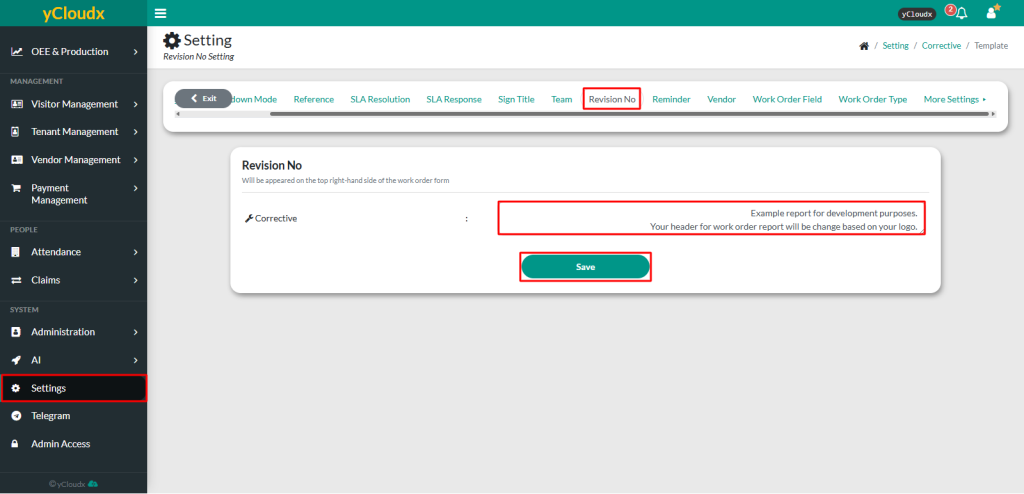
- Proceed to Setting > Corrective > Revision No
- Add, update or delete sentence in the field provided
- After verifying the entry, click Save
- The revision number will be updated and displayed at the top of the Corrective Maintenance report