Set the stock context.
Record relevant minimum and maximum points and identify essential spare parts. Keep thresholds aligned with maintenance demand and lead times.

Know what is available, where it is stored and where it was used. yCloudx connects spare parts, consumables, stock movements and requests with the assets and maintenance work they support.
For maintenance managers, storekeepers and engineering teams.
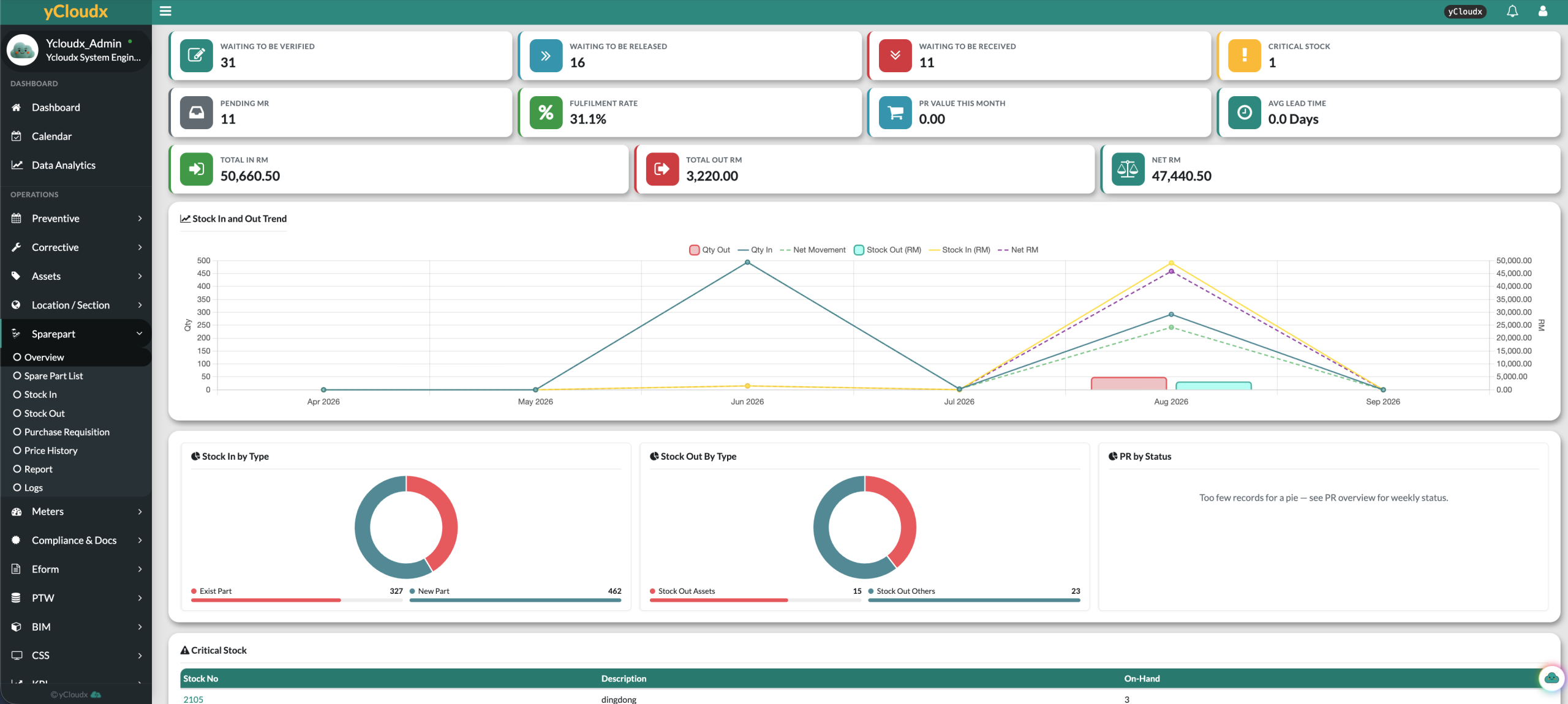
A useful spare parts management system keeps more than an item name and quantity. Bring stock identity, location, thresholds, supplier information and supporting documents into a record your maintenance and stores teams can share.
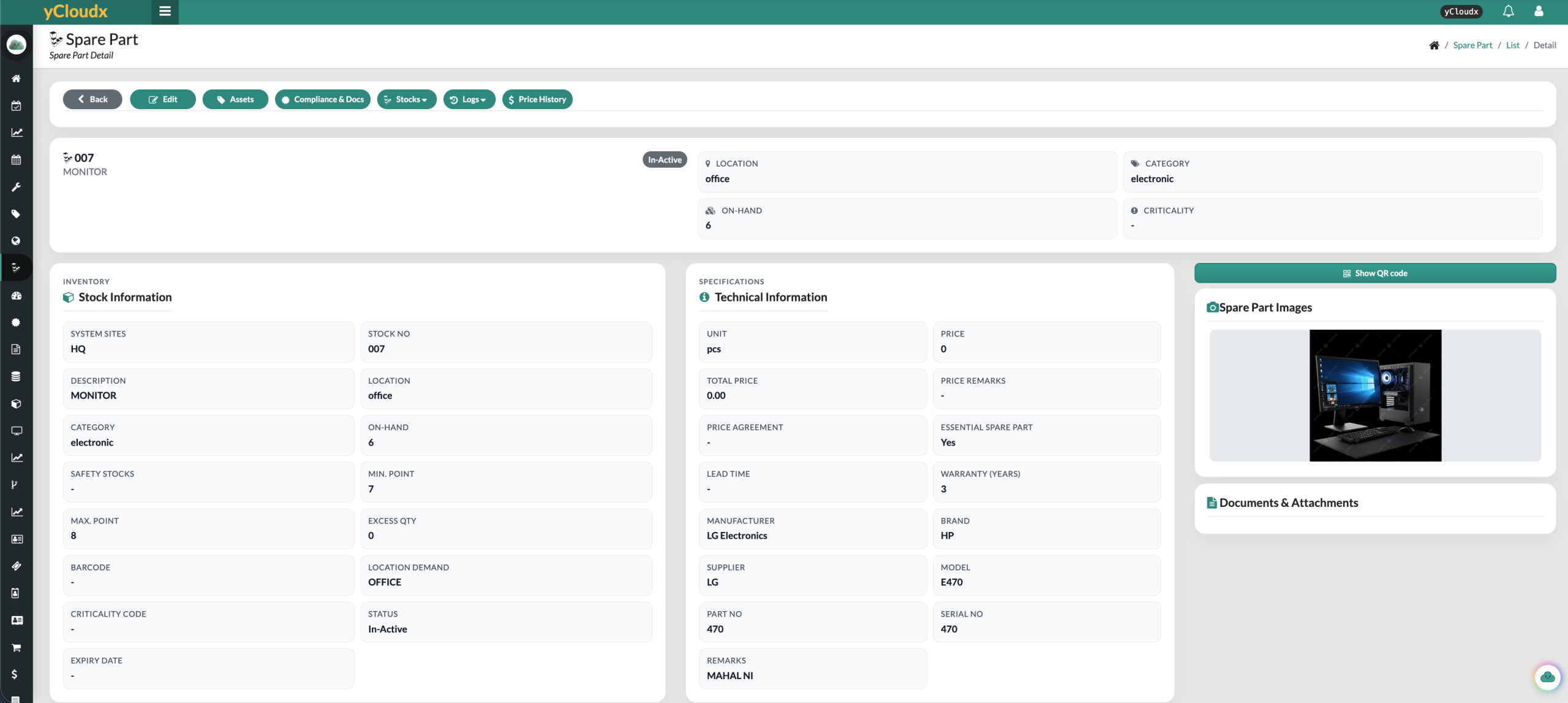
Stock number, description, category, site and location keep the item recognisable.
Review on-hand quantity, stock thresholds, essential-part identification and record status.
Retain unit and price information, supplier, manufacturer, model and supporting documents.
Connect stock received and stock issued with the history behind the balance. yCloudx records stock-in and stock-out activity so teams can review quantities, movements and usage instead of relying on a manually updated total alone.
Record incoming parts through the stock-in process.
Keep the item associated with its site and location.
Follow the configured request and approval process before issue.
Retain stock-out details and supported maintenance references.
Check balances, movement history and replenishment needs.
Operational flow illustrated. Verification, release and receiving steps follow the configured process and user responsibilities.
Keep material usage connected to maintenance. Record spare parts against corrective work orders and retain relevant asset references, so the repair history includes the materials used—not only the action taken.
Use part and asset information when preparing preventive work. Review recorded usage and costs alongside maintenance history to understand recurring demand and support future planning.
What material was used?
Which maintenance activity needed it?
Which equipment did the work concern?
What was recorded for later review?
Use minimum and maximum stock points, essential-part identification and critical-stock views to focus replenishment reviews. Visibility supports planning; it does not guarantee that a required part will be available.
Record relevant minimum and maximum points and identify essential spare parts. Keep thresholds aligned with maintenance demand and lead times.
Use low-stock visibility to investigate quantities that need attention before the next planned job or repair.
Track the replenishment process and review the updated balance after stock is received. Check availability against the agreed stock level.
Low-stock condition and the part record’s active/inactive status are different. Review both when restoring availability; this page does not assume automatic purchasing or automatic record activation.
Support operational procurement around maintenance needs. Spare-part requests, approval steps and purchase requisitions help teams coordinate material requirements and follow up outstanding activity.
Review records waiting for verification, release or receipt. Price history and supplier details add context when reviewing replenishment—not a claim that yCloudx replaces a full procurement or accounting ERP.
Record the material requirement through the configured request process.
Use defined responsibilities before stock is released.
Support replenishment requirements with a traceable PR workflow.
Review verification, release and receiving status so requests do not disappear into a separate list.
Organise part records by system site and location so teams can distinguish where stock belongs across buildings, facilities or operating sites. Map store locations to your organisation’s structure during setup.
Review parts and balances in the relevant location context.
Find the appropriate part record when planning or carrying out work.
Use consistent site and location references when reviewing inventory activity.
Agree store naming, access and movement processes during implementation. Site-level visibility does not imply automatic inter-store transfers.
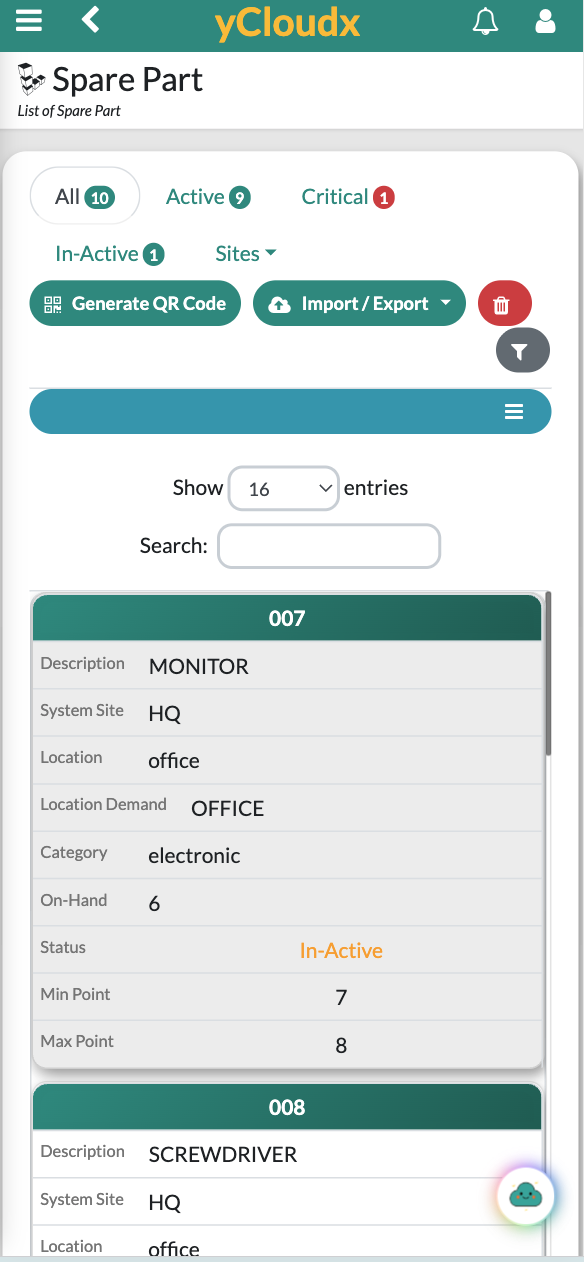
Open spare-part information from a mobile device and use QR identification to connect the physical item with its digital record. Check the site, location and on-hand quantity while preparing maintenance work.
Confirm supported mobile actions and permissions for your stores and technician roles during a demonstration.
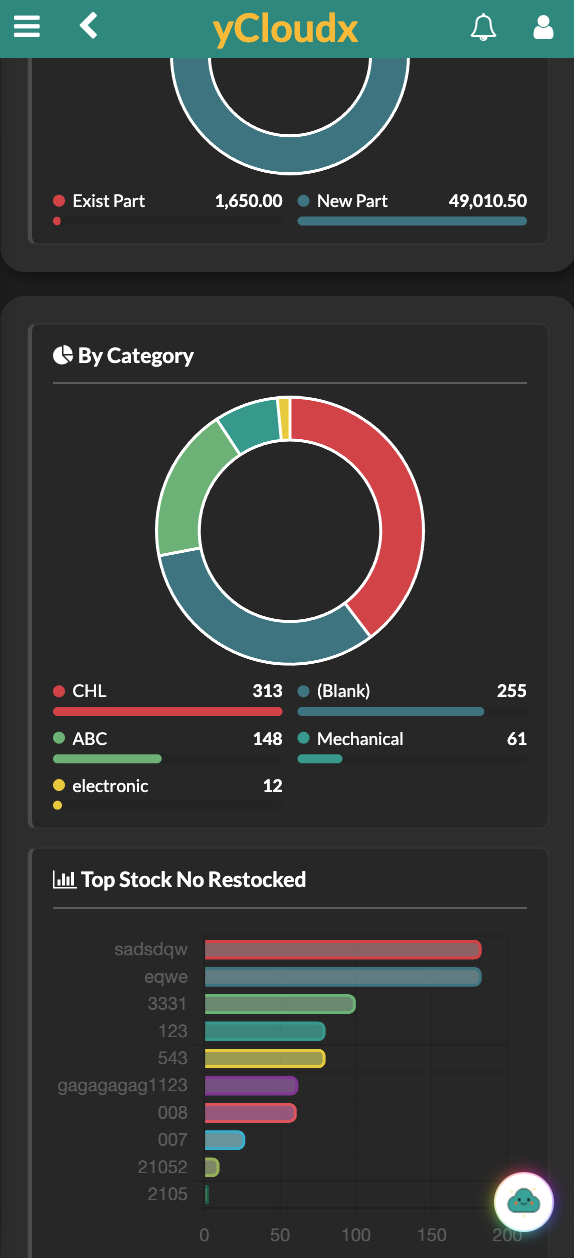
Review stock-in and stock-out trends, recorded movement values, critical items and request status. Category and restocking views provide another way to investigate the inventory activity behind the headline balance.
On-hand stock and critical-item visibility support day-to-day follow-up.
Review incoming and outgoing quantities and recorded values over time.
Explore stock-in categories and frequently restocked item numbers.
Use part, asset and work-order records to investigate consumption and recorded costs.
Frequently restocked does not necessarily mean most consumed. Review stock-out history and job context before drawing conclusions. Screenshot values illustrate product records, not promised results.
Shows which items are recorded, where they are located and how much stock is available.
Adds maintenance context: the work order, the asset, the material used and the recorded cost. Teams can review why parts were needed alongside the equipment’s service history.
yCloudx brings spare parts into the maintenance workflow. It helps stores and engineering teams share a more complete record when preparing work, issuing materials and reviewing repeated repairs.
Explore the yCloudx CMMS platform →A shared inventory view for maintenance managers, storekeepers, facility managers and engineering teams—from one operating site to a wider facilities portfolio.
Spare parts inventory management is the process of identifying, storing, receiving, issuing and monitoring the materials needed to maintain equipment. It combines stock records, quantities, locations and movement history with replenishment planning.
CMMS inventory management connects maintenance materials with assets and work orders. In addition to stock balances, teams can review the part’s maintenance context, including recorded usage, the relevant job and associated costs.
Yes. yCloudx part records include on-hand quantity, site, location and stock-level information such as minimum and maximum points. Stock-in and stock-out records help teams review the movements behind the balance.
Yes. Critical-stock visibility and recorded stock thresholds help teams identify items that need attention. Review these alongside essential-part identification, demand and replenishment requirements. Low stock does not mean a purchase is made automatically.
Yes. Spare-part usage can be recorded against corrective maintenance work orders, keeping the material record connected to the job. Confirm the relevant issue and usage steps for each maintenance workflow during configuration.
Yes. Spare parts can be associated with assets, helping teams identify relevant materials and review usage in the equipment’s maintenance context. Asset and work-order references support a more complete service record.
Yes. yCloudx provides stock-in and stock-out workflows with movement and usage history. Teams can review incoming and outgoing quantities and recorded values, subject to the data and process configured for the deployment.
Yes. Users can submit spare-part requests through the configured process, with verification and approval steps supporting controlled release. Responsibilities and permissions should be defined for requesters, approvers and stores personnel.
Yes. Purchase requisition workflows support operational replenishment requests, with related status visibility. These workflows complement maintenance inventory management; they do not imply full procurement ERP or accounting functionality.
Part records can be organised by system site and location, supporting inventory visibility across facilities. Map store locations, responsibilities and access to your organisation’s structure and confirm the required movement processes during implementation.
Bring your part list, store structure and a typical material request. See how yCloudx connects availability, controlled issue and maintenance usage.
