
Skip to main content
How Can We Help?
How to request spare part out or stock out?
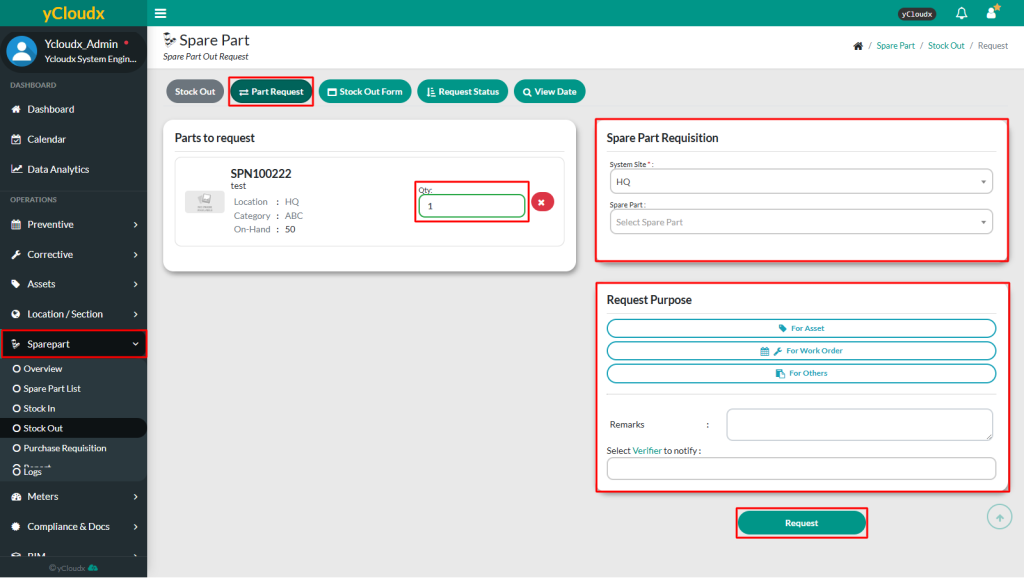
- Proceed to Spare Part > Stock Out > Part Request
- Select the spare part in spare part list
- Once the part selected, details about the spare part will be shown
- Insert how many quantities request for the spare part in “Quantity” box
- Select request purpose for the part request
- Type any “Remarks” if there is any in the text box given
*Once requested, user need to wait for the PIC to verify the request
