
Skip to main content
How Can We Help?
How to Restock Parts?
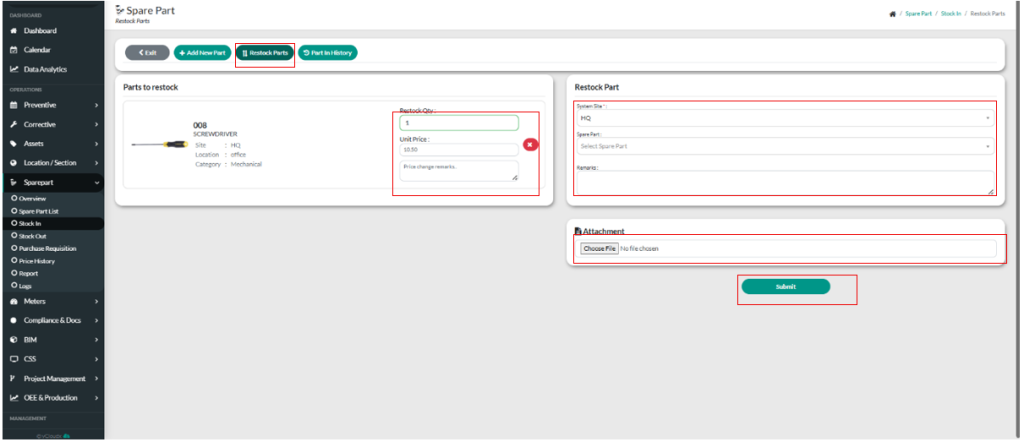
- Proceed Sparepart > Stock In.
- User need to click “Restore Parts”
- User need to select the system site by choosing the site.
- User need to select the item they want to restock.
- User can put any remarks.
- User can choose how many quantity user want to restock the item.
- User can put the price changes remarks.
- User can put any attachments by click “Choose File”.
- User need to click “Submit” button to make the restock part confirmation.
